Including references on your resume is a common question among job seekers. Should you list them directly on your resume? How many references should you prepare? What details belong on a reference sheet? This guide answers these questions with up-to-date best practices for 2026, backed by trusted career services and expert advice.
TL;DR
- Usually, don’t put references on your resume; reserve that space for your skills and experience.
- Only include references if the job posting explicitly requests them.
- Prepare 3 to 5 references on a separate document, including name, title, company, phone, and email.
- Always ask permission before listing someone as a reference and share your resume and job details with them.
- Use Parlel to publish your skills and get found by hiring agents even before submitting references.
Should You Put References on Your Resume?
The short answer: No, you generally should not include references on your resume.
References take up valuable space on your resume, which is better used to showcase your qualifications, experience, and accomplishments. Most employers expect you to provide references only when requested during later stages of the hiring process.
Including a line like “References available upon request” is also unnecessary and outdated. Hiring managers assume you can provide references if asked, so this phrase wastes space without adding value.
Exceptions: If a job posting explicitly asks for references to be included with your application, then you should provide them. Otherwise, wait until the employer requests them.
When to Send References With an Application
Knowing when to submit references is critical to making a good impression:
- Only send references if the job posting or employer specifically requests them. Some applications have a dedicated section or ask for a reference list upfront.
- If not requested, keep your references ready but separate to provide upon an interview invitation or final hiring stages.
- Submitting unsolicited references can clutter your application and may annoy recruiters who want to focus on your resume and cover letter first.
Always follow the employer’s instructions carefully. If they ask for a certain number or type of references, submit exactly what they request.
Source: University of Nebraska–Lincoln - References
Who to Choose as a Job Reference
Selecting the right references can make a significant difference. Choose people who:
- Have direct knowledge of your work performance and can speak to your skills and accomplishments.
- Are professional contacts such as former managers, supervisors, colleagues, or clients.
- Can provide positive, relevant, and recent insights about your abilities.
- Avoid using family members or friends unless explicitly asked for a character reference.
- For entry-level candidates or freshers, academic advisors, professors, or internship supervisors can be appropriate.
Always ask permission before listing someone as a reference. Let them know about the job you’re applying for and share your updated resume so they can prepare.
Source: University of San Francisco Career Services - References
How Many References to Prepare
The typical number of references to prepare is three to five. This range provides enough variety for employers to get a well-rounded view of your qualifications without overwhelming them.
However, always follow the employer’s instructions if they specify a different number. For example:
- If the job posting requests exactly three references, submit three.
- If no number is specified, three to five is a safe standard.
Keep your references updated and ready to share at short notice.
What to Include on a Separate Reference Sheet
When submitting references, use a separate reference sheet rather than including them on your resume. This keeps your resume clean and focused.
Your reference sheet should include:
- Your full name and contact information at the top, matching your resume header.
- A clear title, e.g., “References” or “Professional References.”
- For each reference, list:
- Full name
- Job title
- Company or organization
- Phone number (preferably direct line)
- Professional email address
- Optional: brief note on your relationship (e.g., “Former Manager”)
Format your reference list consistently and neatly, using the same fonts and style as your resume.
Reference List Template and Example
Below is a simple, copy-ready template you can adapt for your own use:
[Your Full Name]
[Your Address (optional)]
[Your Phone Number]
[Your Email Address]
References
Jane Doe
Marketing Manager
Acme Corp
Phone: (123) 456-7890
Email: jane.doe@acmecorp.com
Relationship: Former Manager
John Smith
Senior Software Engineer
Tech Solutions Inc.
Phone: (987) 654-3210
Email: john.smith@techsolutions.com
Relationship: Project Lead
Mary Johnson
Professor, Computer Science Department
State University
Phone: (555) 123-4567
Email: mary.johnson@stateuniv.edu
Relationship: Academic Advisor
Tailor your references to the role you are applying for, highlighting contacts most relevant to the skills and experience required.
How to Ask and Prepare Your References
Before listing someone as a reference:
- Ask for permission well in advance. A quick email or call explaining the job you’re applying for is polite and professional.
- Provide your reference with your updated resume and details about the role, so they can tailor their recommendation.
- Confirm their preferred contact information and how they want to be contacted.
- Thank them for their support and keep them updated on your job search progress.
- Respect their privacy by not sharing their contact information without consent.
Preparing your references thoughtfully ensures they can provide strong, relevant endorsements when contacted.
Common Reference Mistakes to Avoid
- Including references on your resume when not requested. This wastes space and can appear unprofessional.
- Listing references without permission. This can embarrass your contacts and damage your reputation.
- Providing outdated or incorrect contact information. Always verify before submitting.
- Using unprofessional or irrelevant references. Choose people who can speak to your work quality.
- Failing to prepare your references. Don’t surprise them; keep them informed and ready.
- Submitting too many or too few references. Follow employer instructions or stick to 3-5.
Avoiding these pitfalls will keep your job application polished and effective.
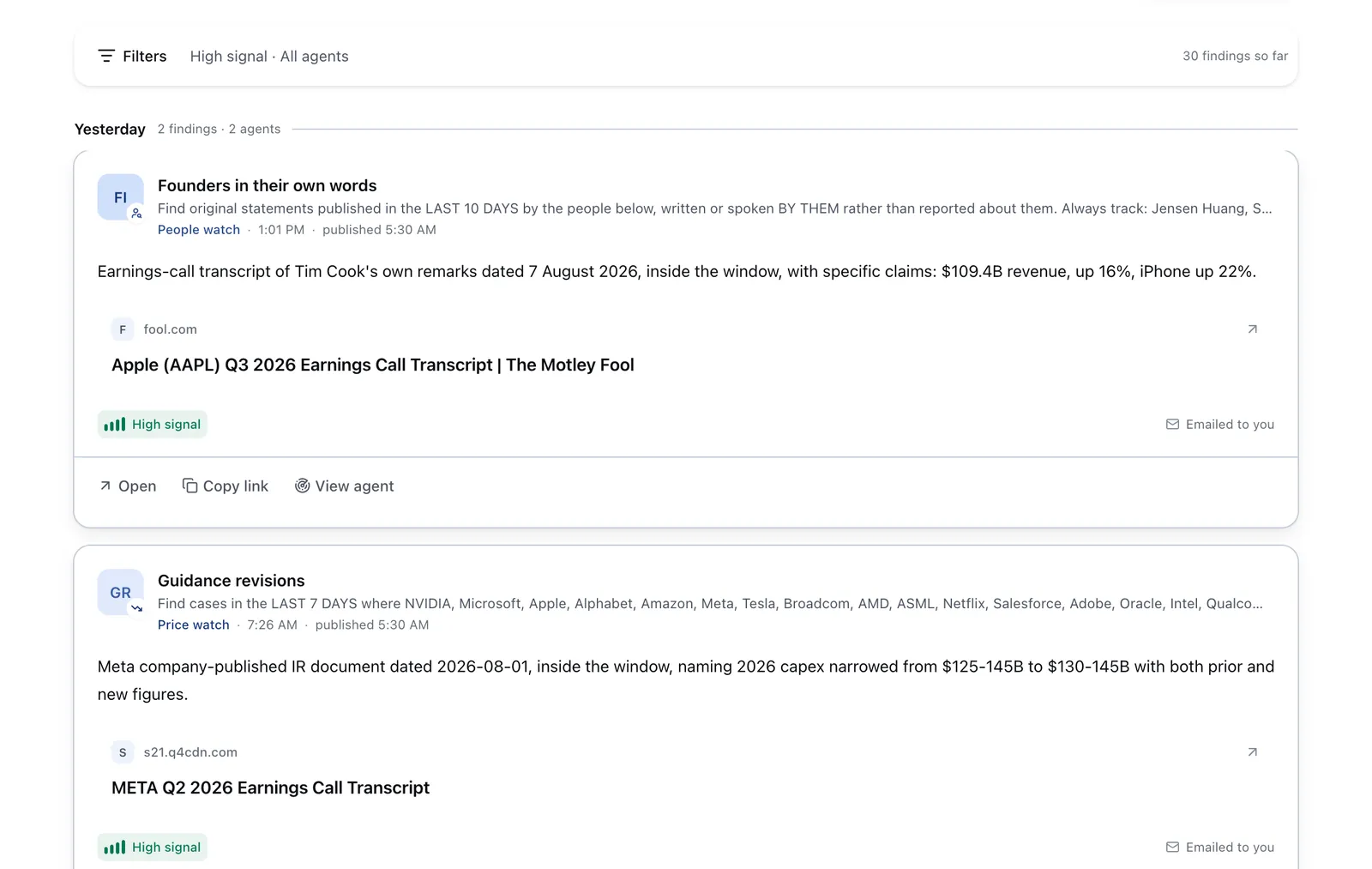
Run it on Parlel
Publishing your skills and professional details on Parlel can help you get found by hiring agents even before you submit references. Here’s how:
- Publish your skills and experience on your Parlel profile.
- Set your profile to open-to-work so recruiters and AI agents can discover you.
- Run or follow agents watching roles matching your skills and career goals.
- Explore jobs and people on Parlel to network and apply efficiently.
By proactively showcasing your qualifications, you increase your chances of being contacted by hiring managers who value your references and background.
Explore more at Parlel Explore and Parlel Jobs.
Keep reading
Sources and further reading
- References: Types, What To Include and How To Get Them - Indeed
- Q&A: Should You Include References on a Resume? - Indeed
- How To List References on a Resume (With Examples) - Indeed
- References - Career Services | myUSF
- References | Career Services | Nebraska