Clay's current pricing has two usage meters: Actions for running workflows and Data Credits for marketplace data and some AI usage. Older articles that describe only “credits” can mislead you. A task may use one Action plus a variable number of Data Credits, depending on the provider, fields, model, and recipe.
The practical pricing question is cost per usable output, not cost per row. A table that produces many incomplete contacts can consume capacity without creating a qualified conversation. Budget the recipe, the filters, the export destination, and the human review that follows.
Clay pricing and documentation were checked September 26, 2026. The live pricing page and workspace usage screen should decide your final budget.
TL;DR
- Clay Pricing is a lean sales operations guide: use it to make one decision, not to collect generic advice.
- Start with the smallest useful version: a next action, an owner, and a system the team will actually maintain; add complexity only when the evidence requires it.
- Treat every claim as either an observation, an estimate, or a hypothesis; do not present a signal as proof.
- Before you publish or act, check the workflow under real records, not a feature list or a polished demo.
- The practical outcome is a dated next step, a clear owner, and a reason to stop or revisit the decision.
Current plan shape
| Plan | Published starting point | Included usage described in current materials | Fit |
|---|---|---|---|
| Free | $0 | 500 Actions/month and 100 Data Credits/month | Test a recipe |
| Launch | From $185/month | 15,000 Actions and 2,500 Data Credits/month | Smaller enrichment programs |
| Growth | From $495/month | 40,000 Actions and 6,000 Data Credits/month | Larger team workflows |
| Enterprise | Custom | Custom capacity and controls | Governance and volume |
Published figures can change and the pricing page may display annual or monthly variants. Confirm whether the displayed number includes the credit bundle, seats, taxes, and any add-ons. Enterprise is not a transparent public price.
Clay introduced the Actions-plus-Data-Credits model in March 2026. Be careful with older comparisons that use only a legacy credit meter. A current workspace screen and the current plan page should win over an article describing the old model.
What are Actions and Data Credits?
An Action measures orchestration: running an enrichment, AI research step, or sending data to another tool. Data Credits buy data or some AI work from marketplace providers. Clay says Actions start below $0.01 each and Data Credits start at $0.05 each, but actual usage depends on the task. A fully enriched record can use roughly 6 to 20 Data Credits according to Clay's documentation; there is no universal one-to-three-credit rule.
AI pricing can be fixed or variable. Fixed models show a known Data Credit cost. Variable models can depend on token usage. Check the current AI pricing documentation before building a budget around a large prompt.
Private provider keys can change which usage is billed through Clay and which is billed directly to the provider. Put that assumption beside every estimate. Also record whether a step runs for every row or only after a filter; the latter is often the difference between a manageable test and an unexpectedly large run.
Example math, clearly labeled
This is illustrative math, not a Clay quote. Suppose you process 500 records, each with five workflow steps, and each surviving record uses eight Data Credits for data and AI.
Actions: 500 records x 5 steps = 2,500 Actions
Data Credits: 500 records x 8 credits = 4,000 Data Credits
Cash cost: use the plan price plus any purchased usage at the live rates
If only 40% of the records pass a cheap first filter, the later four steps run on 200 records instead of 500. That changes the Action and Data Credit totals, but the saving depends on the recipe and which provider steps were skipped. Measure your own run rather than claiming a fixed percentage reduction.
A safer pilot sequence
- Load a small, representative sample.
- Run a cheap identity or domain check first.
- Inspect nulls, duplicates, and provider disagreement.
- Add one expensive field or AI step.
- Export the result and calculate cost per usable record.
- Set a row limit before scheduling the table.
This sequence also reveals whether the workflow is worth automating. More credits do not repair an unclear ICP or a field nobody uses.
Rollover and overage checks
Clay documentation describes monthly unused Data Credits rolling over, capped at twice the monthly allowance. Annual plans may roll over up to 15% of annual credits when renewing at the same or higher tier. Verify the current terms. Also check top-up rates, per-table limits, scheduled runs, and whether a private API key changes marketplace credit use.
How to budget responsibly
- Build the exact table on the Free plan or a small paid run.
- Record Actions and Data Credits per surviving record.
- Separate discovery, verification, firmographics, and AI research.
- Put expensive AI steps after cheap filters.
- Set row and spend limits before connecting an automatic import.
- Compare cost per qualified conversation, not just cost per row.
Clay is a workbench, not a guaranteed contact database. It orchestrates providers; it cannot make missing or incorrect data certain.
When Clay is a poor fit
Use a simpler verifier or manual workflow when volume is low, nobody owns table design, or finance cannot accept variable usage. Clay can also be unnecessary when your source is a narrow, current signal such as hiring activity and you only need a small number of accounts. That is a fit judgment, not evidence of a universal cheaper stack. Compare Clay vs Apollo for the database-versus-workbench decision.
Who should not use Clay
Do not use Clay as a first prospecting tool if you have no defined ICP, no enrichment recipe, and no person responsible for data quality. Do not sign an annual plan before testing the real fields, provider order, AI prompts, and export destination. Do not treat a plan allowance as a forecast of meetings.
Do not choose Clay merely because another vendor’s database looks expensive. Clay and a database product solve different jobs; compare the complete workflow and the human time required to maintain it.
Price the recipe, not the table
Before selecting a plan, write down the recipe in execution order. Identify which steps run for every row, which run only after a filter, which provider supplies each field, whether an AI model is fixed or variable, and where the result goes. Then estimate the maximum rows the schedule can process, not only the rows in the first test.
| Recipe question | Why it changes the budget |
|---|---|
| How many rows enter? | Every downstream step can multiply usage |
| Which filter runs first? | Cheap filtering can prevent expensive work |
| Which fields are essential? | Optional enrichment can consume credits without changing a decision |
| Which AI model is used? | Fixed and variable pricing behave differently |
| Which provider key is connected? | Usage may be billed through Clay or directly |
| How often does it run? | A weekly schedule is not the same as a one-time table |
| What counts as usable? | Cost per completed row can hide nulls and duplicates |
Illustrative scenario: a team has 500 target accounts and wants domain verification, employee range, a hiring signal, and an AI-written research note. If the first check eliminates some rows, later steps should not automatically run on the full 500. The team should record Actions and Data Credits by step, inspect the surviving records, and decide whether the note changes qualification. The scenario demonstrates the budgeting method; it does not predict a universal usage total.
Current versus legacy pricing language
Articles written before March 2026 may describe a credits-only model. Do not compare a legacy “credit” allowance with a current Actions allowance without mapping what a task consumes. In the current model, an orchestration step can use an Action while data or AI work uses Data Credits. Your workspace usage screen is the useful source for an actual table.
When reading a plan page, capture whether the allowance is monthly or annual, whether the displayed starting price assumes annual billing, how top-ups are priced, and whether unused usage rolls over. The rollover rules described in vendor documentation are conditional and capped. They are not a reason to buy more capacity than the workflow can use.
Pilot checklist for a finance review
- Define the output that qualifies as usable.
- Record the sample size and every provider or model.
- Run identity and domain checks before expensive enrichment.
- Capture Actions and Data Credits before and after each step.
- Count null, duplicate, stale, and accepted records separately.
- Add the human review time to the operational cost.
- Set row, schedule, and spend limits before enabling automation.
- Save the recipe version and pricing-page date with the estimate.
Finance should receive a range of scenarios, not a false single number: a small test, the expected monthly run, and a higher-volume case. Label which assumptions are vendor-published, which are observed in the workspace, and which are editorial estimates. If a plan is custom-priced, say so.
When a signal-first workflow is enough
Some teams do not need broad enrichment. If the job is to identify a small group of companies showing a current public signal, a signal source followed by selective verification may be simpler than a large Clay table. That is not a claim that one stack is cheaper or more accurate. It is a reminder to match the data workflow to the decision. Start with the smallest source that can produce a defensible next action, then add enrichment when a missing field blocks qualification.
The clay pricing operating standard
This guide is written for a reader who needs to use clay pricing in a real workflow, not merely understand the definition. The dependable version starts with the decision that must be made, names the evidence available today, and keeps the next step small enough to complete. That is the editorial standard used throughout this guide and across the Parlel library: practical guidance should help a founder, operator, candidate, or freelancer act without hiding uncertainty behind confident language.
Decide what success means before you start
Write the result in one sentence: “After this exercise, I will know whether , and the next action will be .” For clay pricing, that sentence prevents the most common failure mode — doing more research after the useful question has already been answered. If the work concerns a person, company, role, client, or vendor, record the source and date as you go. If it concerns a template or message, define the recipient, context, and desired response before polishing the wording.
Use a small fixture rather than an abstract example. Pick three to five real records, situations, or drafts and run the method end to end. Keep one case that should succeed, one ambiguous case, and one case that should be rejected. That mix exposes whether the process can distinguish a useful signal from a convenient story. It also gives you material for a later review without pretending that a tiny sample is a benchmark.
Make the work explainable to another person
A high-quality result should survive a handoff. Another person should be able to see what was known at the time, which assumptions were made, what action was taken, and what would change the decision. For this topic, preserve the original input alongside the conclusion. Keep a short “why now” note, the owner, the due date, and the stop condition. This makes clay pricing useful in an agency-style operating system: the work is repeatable without becoming mechanical, and a reviewer can improve it without rewriting the whole process.
Quality-control pass before you ship
- Intent: Does the page answer the query implied by its title in the first screen?
- Evidence: Are current facts linked to a source, date, or clearly labeled assumption?
- Specificity: Could a reader use the checklist, script, table, or example immediately?
- Boundaries: Does the guide say when the method is a poor fit or should stop?
- Next action: Is there one useful action rather than a pile of competing calls to action?
Those checks matter more than adding another paragraph of general advice. They also protect search quality: the page earns attention by resolving the reader's problem, not by repeating clay pricing unnaturally. If the evidence is thin, say so and explain how to improve it. If the answer changes by country, role, plan, or company size, make that branch visible instead of burying it in a footnote.
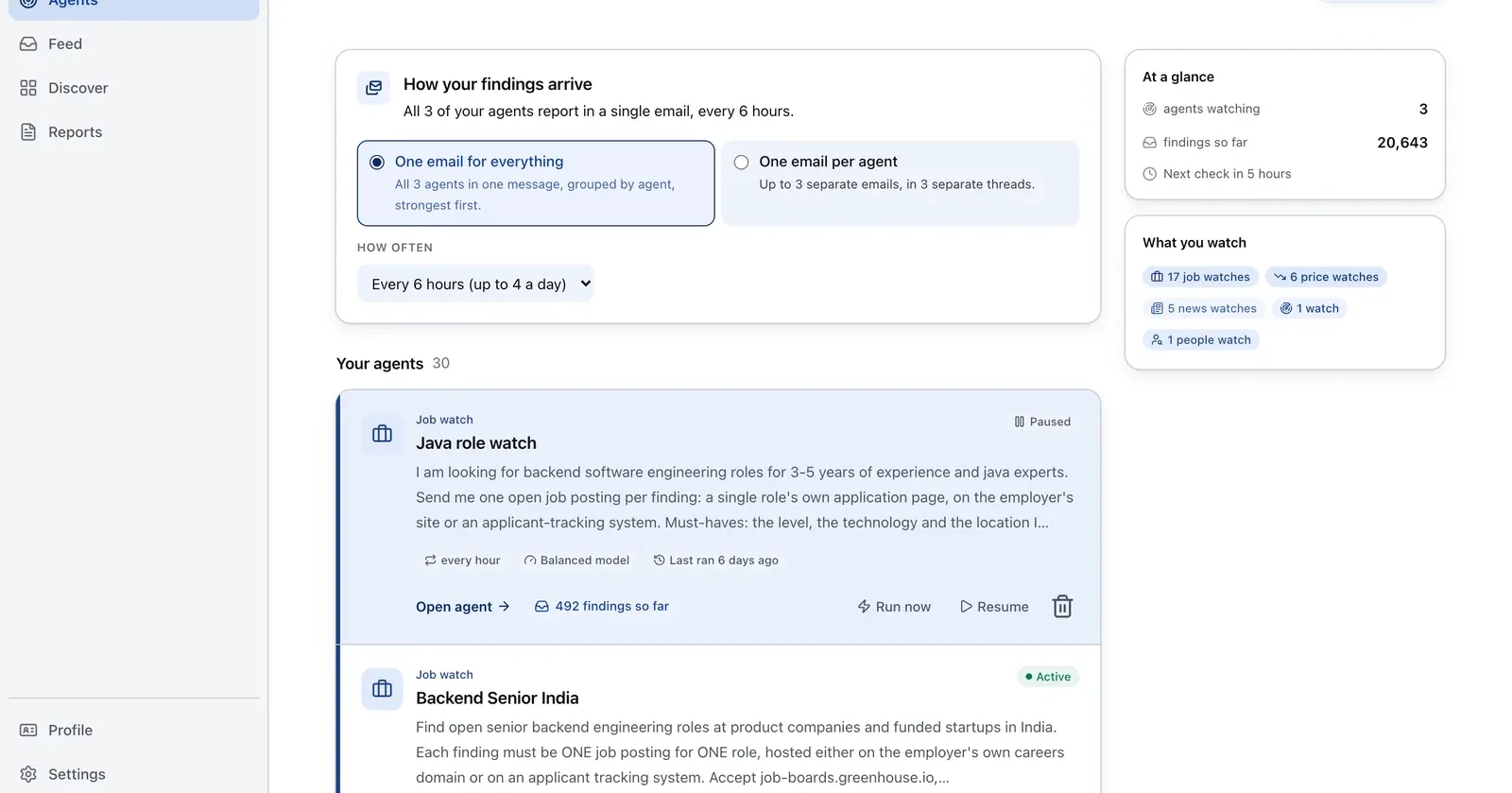
Run it on Parlel
Use current hiring signals as a pre-filter, then send only relevant accounts into a Clay table.
{"agent":"clay-account-prefilter","schedule":"weekly","filters":{"hiring":true,"size":"11-200"},"digest":{"fields":["company","domain","open_roles","pain_hypothesis"],"deliver":"clay_import_csv"}}
Digest: company, domain, open roles, and a short hypothesis for the first research column. Build the list in Parlel Explore.
Keep reading
Continue the workflow with three closely related guides: - clay vs apollo - best crm for startups - pipedrive review
FAQs
How much does Clay cost?
Current materials describe a free plan, Launch from $185/month, Growth from $495/month, and custom Enterprise pricing. Confirm the live page, billing term, and usage allowances.
What is the difference between Actions and Data Credits?
Actions measure workflow execution. Data Credits pay for marketplace data and some AI work. One task can consume both.
How many credits does an enrichment use?
There is no fixed rule. Clay documentation describes fully enriched records at roughly 6 to 20 Data Credits depending on the recipe.
Is Clay a database?
It is an enrichment and GTM workbench that orchestrates providers. It is not a guarantee of one complete, always-current database.