An email finder discovers or predicts a professional address from a person and a company. An email verifier evaluates whether that address appears deliverable. Those are related jobs, not interchangeable promises. A careful workflow finds a likely address, checks it, records where it came from, and still respects privacy and outreach rules.
This guide compares the decision points that matter more than a large vendor list: discovery method, verification status, credit rules, bulk and API access, generic inbox handling, and evidence for non-US contacts. Product plans change, so treat every allowance below as a dated fact to re-check on the linked official page.
TL;DR
- There is no universal winner. Choose separately for database coverage, known-domain speed, free usage, or API and bulk work.
- A finder discovers or predicts an address. A verifier checks signals such as syntax, domain, mailbox response, disposable status, and catch-all behavior.
- Hunter documents 50 free credits per month; its current documentation says Email Finder reveals cost one credit and Email Verifier can cost 0.5 credit on eligible All-in-One plans. Confirm the plan you will actually use.
- “Verified” is not a promise of inbox placement, consent, reply, or legal permission to send.
- Measure your own usable-record rate on a small, anonymized sample. Do not import vendor accuracy claims as independent evidence.
What to compare
| Decision | Database finder | Pattern-based finder | Waterfall or orchestration |
|---|---|---|---|
| Starting input | Name, company, or domain | Name and known domain | Partial record and a field rule |
| Strength | Existing people and domain coverage | Fast guesses for a known pattern | Fallbacks when one source misses |
| Main risk | Stale title or address | Wrong pattern or catch-all | More cost, latency, and data governance |
| Ask the vendor | Source, refresh date, country coverage | Confidence logic and no-result billing | Stop rule, provider order, and source rights |
A tool should expose enough information for you to decide what happens next. Useful fields include the matched name, current employer, address type, confidence or status, source date, and whether the result was found, inferred, or supplied by a user. “Verified” without a definition is a label, not a measurement.
A result-level example
Suppose a founder searches for Anika Rao at example.co. One tool returns anika.rao@example.co as valid, another returns a pattern guess as catch-all, and a third returns not found. These are three different research outcomes, not three interchangeable scores. Keep the source, plan, lookup date, and result status with the row so a later reviewer can see why the address was or was not contacted.
Finder versus verifier
The finder answers “what address might belong to this person?” The verifier answers “what can we infer about this address right now?” Hunter’s documentation is a useful example of the distinction: it says Email Finder results are already verified, while its standalone Verifier has separate credit behavior. That is a vendor-specific workflow, not a reason to assume every finder has independently verified every result.
Treat these statuses as separate:
- Valid: the verifier found signals consistent with a live mailbox. It can still become stale.
- Invalid: syntax, domain, or mailbox checks indicate the address should not be sent.
- Catch-all or unknown: the domain may accept any address, or the server blocked the check. Delivery is uncertain.
- Role-based: an address such as
info@orsupport@is a team inbox, not a named contact. - Not found: no acceptable result was returned. Do not turn absence into a guess without an explicit, reviewable pattern.
For a hard case, record the finder result and verifier result separately. This makes it possible to see whether your problem is discovery, stale data, or overly aggressive routing.
Current free-use example
Hunter’s official plan and help documentation currently describe a free plan with 50 credits per month. Its help centre also says a personal email reveal costs one credit, generic domain addresses are handled differently, and no credit is used when no result is found. Those details matter more than the number “50”: a plan with shared credits for finding and verification may support fewer new contacts than a headline suggests.
Do not generalize that every competitor offers 25, 50, or 100 recurring lookups. A free trial, a recurring free plan, an account-specific promotion, and a daily allowance are different products. For each candidate, record:
| Field | What to verify |
|---|---|
| Allowance | Recurring or one-time, and renewal date |
| Billing unit | Reveal, returned address, row, or verification |
| Empty result | Charged or free |
| Bulk | CSV minimum, export format, and row limits |
| API | Included, restricted, or paid only |
| Risk labels | Catch-all, blocked, unknown, role, disposable |
| Data controls | Deletion, provenance, opt-out, and permitted use |
A reproducible evaluation rubric
If you need a comparison rather than a demo, use 30 to 50 contacts you are allowed to process. Split the sample by known difficulty: common corporate domains, small-company domains, non-US domains, generic addresses, job changers, and contacts for whom you have a current public address. Remove personal details from any published report.
For each tool, record the exact plan, date, input fields, filters, credits consumed, returned status, and export. Define the metrics before running it:
- Match rate: acceptable address returned divided by requested contacts.
- Precision: returned addresses independently confirmed as current and belonging to the named person divided by returned addresses checked.
- Valid rate: addresses classified valid by a separate verifier divided by returned addresses.
- Unknown rate: catch-all, blocked, or inconclusive results divided by requests.
- Usable-record cost: subscription and consumed credits divided by records that passed your rules.
Do not call a result “accurate” unless you can explain the ground truth and the verification method. A company address that worked last year is not independent proof that it works today. For a deeper multi-source approach, see waterfall enrichment; for the final deliverability check, see free email verifier.
Failure modes founders miss
A current person with an old employer. Check the company domain and a recent professional profile before spending a reveal credit.
A guessed pattern that happens to exist. Catch-all domains can accept any string. Treat the result as unknown unless another legitimate source confirms it.
A role inbox mistaken for a buyer. Route sales@ or contact@ to a public contact path or a human review queue. Do not put it into a named-person cadence.
US-centric coverage. Test country, language, local domains, and regional privacy requirements using your real ICP. A large database may still be thin in India, the EU, or smaller local markets.
Consent confusion. Verification checks technical signals, not permission. Before outreach, identify the lawful basis that applies, provide an opt-out where required, honour suppression requests, and follow applicable rules such as CAN-SPAM, UK PECR, or GDPR. Ask the vendor where records came from and whether your intended use is permitted.
When each approach fits
Use a database-led finder when you repeatedly work in a known market and need people, titles, and company context together. Use a pattern-based finder when you already know the domain and can validate every output. Use waterfall enrichment when a small number of valuable accounts justify multiple sources, but set field-level stopping rules so a missing phone number does not trigger unnecessary work-email lookups.
For a small startup, a spreadsheet with source, status, date, and next action is often enough to start. Buy a broader workflow only when manual review is the bottleneck. Re-test when your geography, role mix, or sending rules change; tools may change before your content does.
A buying checklist you can reuse
The most expensive mistake is choosing a finder because its demo returns a plausible address. Before a trial, write down the field you need and the point at which the workflow must stop. “Find an email” is too broad. “Find a current, named work email for a VP of engineering at a company with an open security role, or return unknown” is testable.
| Question | Why it matters | Acceptable evidence |
|---|---|---|
| What is the input? | Name-only searches create false matches | Name plus current employer and domain |
| What is returned? | A guess, database record, and user-supplied address are different | Result type and source shown per row |
| When is a credit spent? | Empty results and duplicates change economics | Billing rule tested on representative rows |
| What happens to uncertainty? | Catch-all and blocked rows should not enter a sequence | Explicit unknown, blocked, or catch-all state |
| Can I remove a record? | Discovery creates privacy and suppression work | Deletion, opt-out, and retention process |
Ask for an export that keeps the original row ID. Without that key, it becomes difficult to tell whether a later verifier assessed the same address, a duplicate, or a different person with the same name. Keep a separate field for found_by, verified_by, observed_at, and reviewed_by; one combined “confidence” field hides the handoffs that matter.
Illustrative workflow: a founder-led account list
Illustrative example, not a reported test: A two-person SaaS team has 18 target companies and wants to contact the person responsible for data hiring. First, the team confirms the company domain and the person’s current title from a public source. Second, it runs the finder only for rows with a named contact. Third, it sends returned addresses through a verifier. A clear-valid named address goes to human review; a role inbox is moved to a general-company queue; catch-all and blocked results remain unknown; no-result rows are not guessed.
The team records one reason for every final state. “No result after domain search” is different from “pattern returned but catch-all.” That distinction helps improve the input list without pretending the tool failed when the real issue was stale employment data. If a role closes before review, the row is paused rather than enriched again.
Country and role branches
Coverage is not one number. For India, test local domains, company groups with multiple legal entities, title variants such as “GTM,” “business development,” and “founder’s office,” and phone formats only when a phone is genuinely needed. A global database may return an international parent domain while the relevant team uses an India entity. Check the employer and geography before interpreting a result.
For EU and UK contacts, document the purpose and lawful basis for processing, provide the required notice or opt-out, and check vendor terms for source, retention, and international transfers. For the US, business-to-business does not remove the need to identify the sender, honour opt-outs, and follow applicable anti-spam and privacy requirements. These are operational prompts, not legal advice.
Role also changes the right path. A recruiter, founder, or sales leader may have a publicly listed professional route. A security engineer’s address may be intentionally less visible. A generic careers@ inbox may be appropriate for an application but is not evidence that a named decision-maker wants a sales message. Match the contact method to the job, not merely to what the finder can reveal.
What to do when the tool is wrong
If the employer is wrong, stop and correct the domain before spending another credit. If the title is old, preserve the old record as history and research the current owner. If the address is valid but the person has opted out, suppression wins over technical deliverability. If a vendor cannot explain its status labels, downgrade that output to a research clue and require human review.
A useful team policy is: no automated send from a found address until the row has a current employer, a named-person match, a verification timestamp, an evidence source, and a suppression check. That policy slows the first few records and prevents an opaque list from becoming a recurring deliverability and privacy problem.
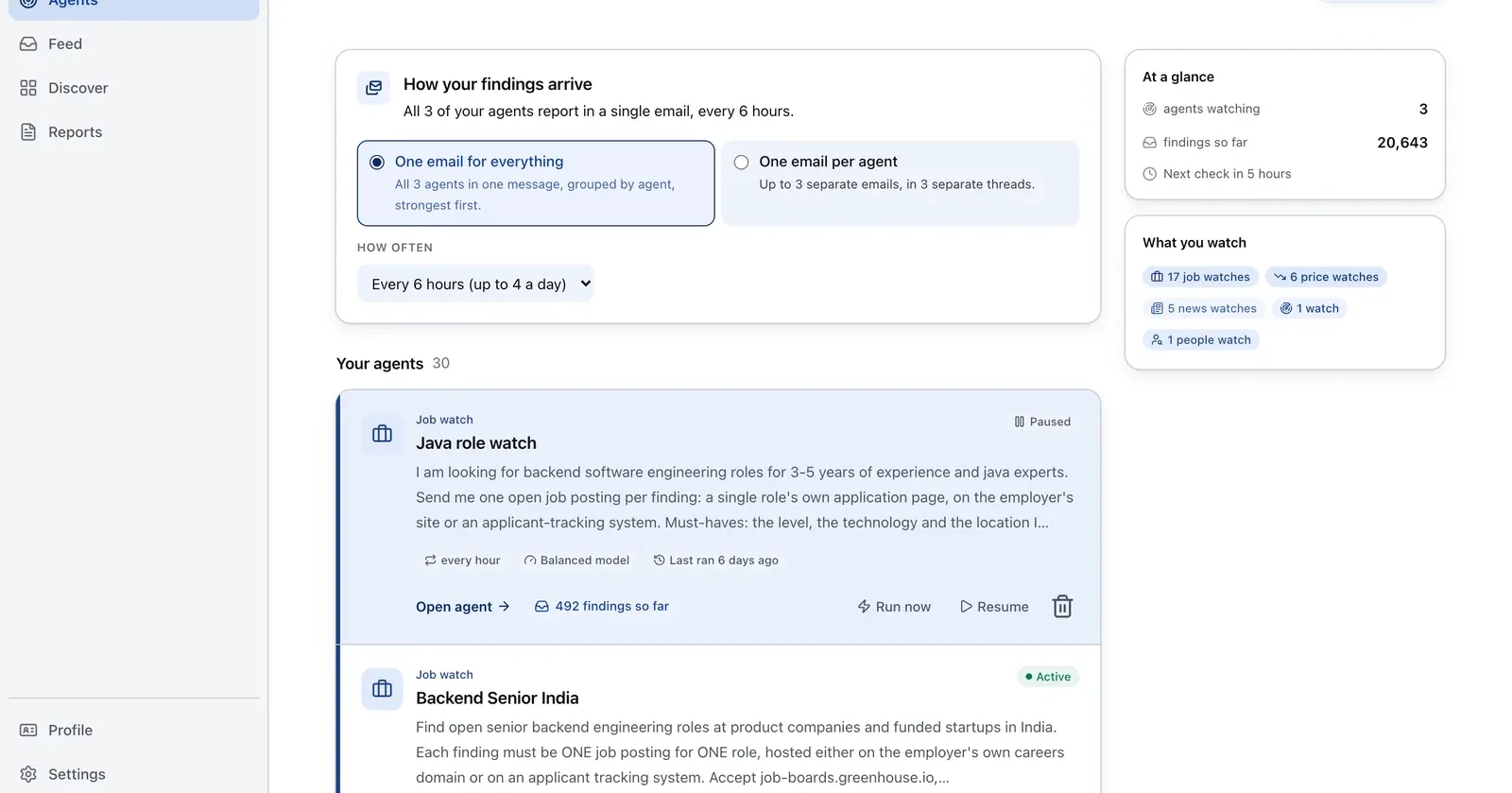
Run it on Parlel
Use a hiring signal to decide which contacts deserve research, then use your chosen finder and verifier for the address itself.
watch: hiring_signal
filters: seed_to_seriesA, saas, india_or_remote
signals: first_sales_hire, security_role, engineering_spike
digest: monday_09:00_utc
fields: company, role, posted_at, contact_research_status
Digest: a short list of companies with a dated open role and the next research step, not an invented email address. Start with explore hiring signals, verify any contact through your own workflow, and keep the signal date beside the result.
Keep reading
Continue the workflow with three closely related guides: - free email verifier - waterfall enrichment - clay vs apollo
Frequently asked questions
Which email finder tool fits my workflow?
There is no single winner. Name a winner only for a defined job: database coverage, known-domain speed, recurring free use, or API and bulk workflow. Test the same contacts, count usable records, and include verification and geography in the decision.
What is the difference between an email finder and an email verifier?
A finder discovers or predicts an address. A verifier evaluates deliverability signals. Some vendors pre-verify their finder output, but you should still understand the vendor’s status definitions and recency before sending.
Which email finder has the most useful free plan?
Hunter’s official documentation currently lists 50 free credits per month. That is a useful reference point, not a permanent market ranking. Compare recurring credits, shared billing, empty-result charges, bulk access, and whether verification uses the same pool.
How accurate are email finder tools?
Accuracy depends on the people, countries, domains, and definition of “correct.” Report match rate and independently checked precision separately. Do not reuse a vendor’s percentage as an audited benchmark.
Are email finder tools legal and safe for outreach?
Finding a business address does not establish consent or make unsolicited email compliant. Check source and use restrictions, document your lawful basis, identify yourself, provide required opt-outs, and suppress people who object. Get local legal advice for your jurisdictions.