Waterfall enrichment sends the same record through data providers in sequence. A later step runs only when the previous step fails the rule you set, such as “a work email was returned and independently validated.” The workflow can improve coverage, but it also adds setup, latency, cost, duplicate handling, and data-governance work. It is not automatically better than a single source.
TL;DR
- Start with an inexpensive, fast source and stop when the required field meets an explicit acceptance rule.
- Define success by field: a value existing is not the same as a current, verified work email.
- Compare waterfall and single-source enrichment on the same sample and report match rate, valid-email rate, freshness, duplicates, and total cost.
- Current vendor claims about 150+ sources or higher coverage are product claims, not independent benchmarks.
- Check whether vendors permit onward data use, whether they retain failed lookups, and how suppression requests move through the chain.
How it works
- Normalize the record: name, domain, country, and identifiers.
- Run Source A for the required field.
- Apply a result rule. If it passes, stop. If it fails, continue.
- Run Source B, then C only if needed.
- Validate the winning email or phone independently where appropriate.
- Write back the value, source, date, status, and path taken.
The important design choice is the stop rule. “Any email returned” is weak. “Current work email, not role-based, not disposable, and valid according to our verifier” is reviewable. For a mobile number, you may need country, type, and confidence. For a title, you may need current employer evidence rather than a database value.
Single source versus waterfall
| Question | Single source | Waterfall |
|---|---|---|
| Setup | Simpler | Requires order, mappings, and rules |
| Coverage | One provider’s blind spots | Fallbacks may cover misses |
| Cost | Easier to predict | Depends on path and billing |
| Latency | Usually lower | More calls for hard records |
| Governance | One source to review | Multiple source and retention terms |
| Best fit | Stable, common records | Valuable or difficult records |
Do not repeat the unsupported claim that waterfalls universally lift match rates by 20–30 points or cost a fixed amount per verified record. The supplied research contains no reproducible dataset or configuration for those figures. Vendor documentation explains the mechanism; it does not prove performance for your market.
Provider order
Put inexpensive, fast, high-confidence actions first. Place deeper or more expensive sources later. A sensible work-email flow might start with an existing first-party record, then a known domain pattern, then a database provider, then a specialist source, and finally an independent verifier. A phone flow may need a different order.
Use separate waterfalls for separate fields. Do not pay for an executive phone lookup merely because the work-email waterfall failed. Cap attempts by account tier and stop when the expected value is lower than the next lookup cost. “Pay per win” is not universal; inspect the billing path for representative rows, as Deepline’s documentation advises.
Design the result contract first
Before adding providers, define what a successful result means for each field.
| Field | Weak rule | Better rule |
|---|---|---|
| Work email | Any string with an @ |
Named, current-domain address with acceptable verifier status |
| Mobile | Any number returned | Correct country, number type, and reviewable confidence |
| Title | Non-empty title | Current employer evidence or human approval |
| Company | Similar name | Canonical domain and entity match |
The rule should also say what happens when the field cannot be resolved. unknown is a useful result if it prevents a bad send. A cascade that always returns a value may look productive while hiding uncertainty in an invented confidence score.
Illustrative field-level run
Illustrative example, not a vendor test: A record contains Anika Rao, a current employer, an India domain, and a public role link. Source A returns no work email and no phone. Source B returns a pattern-based email; the verifier marks it catch-all. The email path stops at unknown and sends the row to human research. The phone path is not requested because the account does not justify that cost.
On another row, Source A returns a work email with an acceptable status but no phone. The email path stops. Source B later returns a phone with country and type, but the team’s policy requires a human check for mobile numbers, so the phone remains needs_review. The final record is work_email=accepted, mobile=needs_review, title=probable, not one undifferentiated enriched=true value.
Preserve the path: provider attempted, result, billing event, stop rule, final status, and timestamp. This is the minimum needed to understand why a row cost more than another and to remove a source when it creates poor results.
Cost controls that survive a pilot
Set a maximum number of steps per field and a maximum account tier for expensive lookups. Run cheap normalization before paid enrichment. Deduplicate by canonical domain and approved person identifier. Do not run the phone waterfall merely because the email waterfall returned unknown unless the phone has a separate business purpose.
Inspect representative billing rows, including a duplicate, an empty result, a catch-all, a verified result, and a row that reaches the final provider. Some products charge for attempts, some for returned values, and some have provider-specific rules. Calculate subscription, credits, API usage, processing time, and human-review time per accepted record. A waterfall can be operationally cheaper than several manual subscriptions, but that is an outcome to measure, not a property to assume.
Geography, roles, and data rights
Provider order should reflect your market. A US-first sequence may be weak for India-specific domains or local title variants. An EU or UK workflow may need stronger provenance, objection, deletion, and transfer controls before a row can be activated. For recruiting, a current role and public profile may support research but do not establish that someone is open to work. For sales, a verified address does not establish consent.
Put suppression before the first provider and again before write-back. Ask every provider whether failed lookups, input identifiers, and opt-outs are retained or shared. If a person objects, the suppression record must win even when a later provider returns a fresh address. A cascade is a chain of processors and data sources; one permissive vendor can undermine the policy of the others.
When not to build a waterfall
Do not orchestrate five sources for a low-value list that a person can resolve from a public company page. Do not add a fallback simply because a dashboard offers it. A single source with transparent evidence may be easier to govern and sufficient for common records. The case for a waterfall is strongest when the field matters, the record is difficult, and the team can measure whether extra steps produce accepted output rather than more rows.
Three field-level examples
Example 1: work email. Input: name, employer, and domain. Source A finds no result. Source B returns a pattern-based address. The verifier marks it catch-all. The workflow stops with unknown, not valid; the record routes to human research.
Example 2: work email plus mobile. Source A returns a verified work email but no phone. The work-email path stops. The phone path continues to Source B, which returns a number with country and type. A final rule rejects numbers with no country metadata. Two fields can therefore have different paths and different confidence.
Example 3: title refresh. Source A returns an old title. A current public role and company page contradict it. The workflow preserves the database value as historical evidence, labels the current title for review, and does not overwrite a manually edited CRM field without approval.
Measure the workflow
Run the same anonymized sample through a single source and a waterfall. Report:
- Match rate by required field.
- Valid-email rate after independent verification.
- Unknown, catch-all, and blocked rates.
- Field freshness and current-employer accuracy.
- Duplicate and conflict rate.
- Credits, subscription, processing time, and human-review minutes.
- Cost per accepted record, not cost per returned value.
Keep the input, plan, provider order, date, and rule version. Re-run when your geography or ICP changes. A waterfall that helps US SaaS founders may not help India-specific roles or EU/UK markets.
The same record can therefore finish with different statuses by field: work_email=unknown, mobile=not_requested, and title=needs_review. Do not compress those states into a single “enriched” flag. That flag hides the exact reason a later human should inspect the row.
Compliance and data rights
Every provider in a waterfall has data-source, retention, and onward-use terms. Review whether a vendor may use your inputs to enrich a shared database, whether failed lookups are stored, how deletion and opt-out requests propagate, and whether your CRM sync creates a new processing purpose. Verification does not establish consent. Maintain suppression before enrichment and prevent a later provider from reintroducing a person who opted out.
The waterfall enrichment operating standard
This guide is written for a reader who needs to use waterfall enrichment in a real workflow, not merely understand the definition. The dependable version starts with the decision that must be made, names the evidence available today, and keeps the next step small enough to complete. That is the editorial standard used throughout this guide and across the Parlel library: practical guidance should help a founder, operator, candidate, or freelancer act without hiding uncertainty behind confident language.
Decide what success means before you start
Write the result in one sentence: “After this exercise, I will know whether , and the next action will be .” For waterfall enrichment, that sentence prevents the most common failure mode — doing more research after the useful question has already been answered. If the work concerns a person, company, role, client, or vendor, record the source and date as you go. If it concerns a template or message, define the recipient, context, and desired response before polishing the wording.
Use a small fixture rather than an abstract example. Pick three to five real records, situations, or drafts and run the method end to end. Keep one case that should succeed, one ambiguous case, and one case that should be rejected. That mix exposes whether the process can distinguish a useful signal from a convenient story. It also gives you material for a later review without pretending that a tiny sample is a benchmark.
Make the work explainable to another person
A high-quality result should survive a handoff. Another person should be able to see what was known at the time, which assumptions were made, what action was taken, and what would change the decision. For this topic, preserve the original input alongside the conclusion. Keep a short “why now” note, the owner, the due date, and the stop condition. This makes waterfall enrichment useful in an agency-style operating system: the work is repeatable without becoming mechanical, and a reviewer can improve it without rewriting the whole process.
Quality-control pass before you ship
- Intent: Does the page answer the query implied by its title in the first screen?
- Evidence: Are current facts linked to a source, date, or clearly labeled assumption?
- Specificity: Could a reader use the checklist, script, table, or example immediately?
- Boundaries: Does the guide say when the method is a poor fit or should stop?
- Next action: Is there one useful action rather than a pile of competing calls to action?
Those checks matter more than adding another paragraph of general advice. They also protect search quality: the page earns attention by resolving the reader's problem, not by repeating waterfall enrichment unnaturally. If the evidence is thin, say so and explain how to improve it. If the answer changes by country, role, plan, or company size, make that branch visible instead of burying it in a footnote.
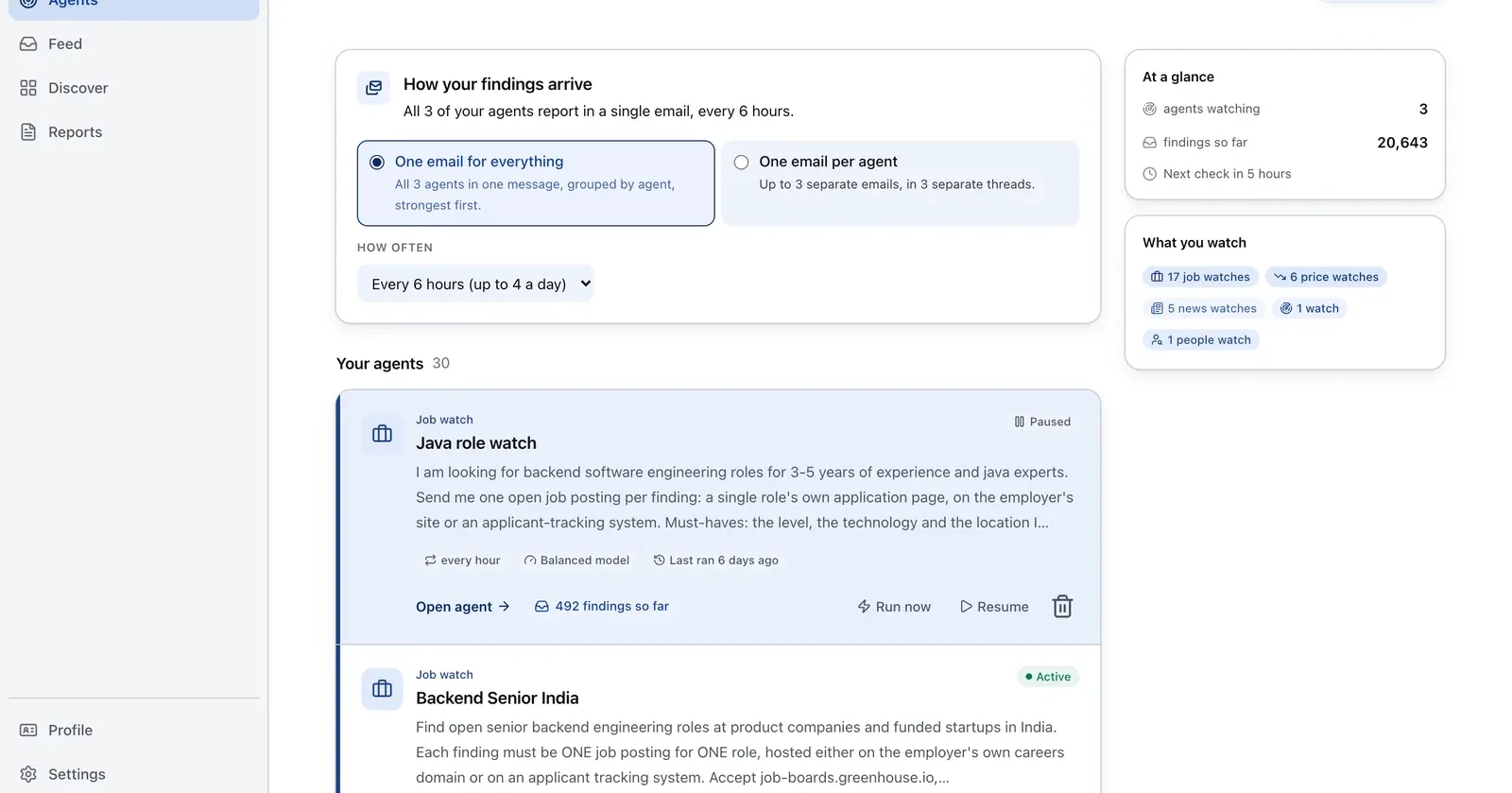
Run it on Parlel
Use Parlel to prioritize the records that deserve a deeper cascade, based on a dated public role.
watch: hiring_priority
filters: tier_a_accounts, open_roles, target_geographies
signals: first_hire, role_cluster, leadership_change
digest: monday_09:00_utc
fields: company, role, posted_at, enrichment_tier, next_field_rule
Digest: a ranked list of companies and the field rule to apply, such as “verified work email only” or “title confirmation before CRM overwrite.” Start with explore hiring signals, then run the cascade and preserve its path.
Keep reading
Continue the workflow with three closely related guides: - email finder tools - clay vs apollo - technographic data
Frequently asked questions
How does waterfall enrichment work?
A record moves through configured providers in priority order. Each later action runs only when the prior result fails the current field-level rule. The process stops at an acceptable result.
What is the difference between waterfall and single-source enrichment?
Single-source enrichment queries one provider. Waterfall enrichment adds fallbacks, which may improve coverage but can increase complexity, latency, cost, and governance obligations.
What should the waterfall order be?
Put inexpensive, fast, high-confidence sources first and deeper sources later. Define success as a verified field, not merely a non-empty value.
How much does waterfall enrichment cost?
There is no universal price. Cost depends on providers, fields, billing mode, and how many steps each row takes. Inspect representative rows and calculate total cost per accepted record.
Which tools support waterfall enrichment?
Dedicated waterfall products, orchestration platforms, and databases with fallback workflows support versions of it. Clay, Apollo, and FullEnrich appear in current comparisons; confirm capabilities and prices on official pages.