Sales prospecting is the work of finding potential buyers and developing them into qualified opportunities. For a founder, the hard part is rarely finding a list of names. It is deciding which accounts deserve attention, finding the person close to the problem, and learning enough to make a truthful first approach.
The system below uses fit, a relevant signal, a one-line diagnosis, a human-reviewed message, and a simple record of what happened. It does not promise that signal-led prospecting converts at a particular multiple. The research brief supports buying signals as a useful workflow, not a universal performance result.
This page was reviewed on October 1, 2026.
TL;DR
- Sales Prospecting is a founder-led growth and customer conversations guide: use it to make one decision, not to collect generic advice.
- Start with the smallest useful version: a signal, a specific next action, and a respectful exit; add complexity only when the evidence requires it.
- Treat every claim as either an observation, an estimate, or a hypothesis; do not present a signal as proof.
- Before you publish or act, check the buyer's words, a dated owner, and evidence that can be checked.
- The practical outcome is a dated next step, a clear owner, and a reason to stop or revisit the decision.
Start with a narrow ICP
Write an ICP as a pain shape: “B2B software companies with 30-200 employees, hiring support staff, and a manual customer-operations workflow” is testable. “Companies that care about growth” is not. Start with one industry, one size band, one buyer, and one problem. Expand only when conversations show that the boundary was artificial.
| Question | Example answer |
|---|---|
| Account fit | 30-200 employees, B2B software |
| Trigger | Two or more support roles posted in 60 days |
| Likely problem | Ticket volume is outgrowing the current process |
| Buyer | Head of support or operations |
| Disqualifier | No relevant team, no public trigger, or no reachable owner |
A signal is evidence, not a diagnosis. A hiring spike may mean growth, replacement hiring, or a copied job description. Keep confidence in the record and ask before asserting.
The weekly workflow
| Stage | Action | Record |
|---|---|---|
| Discover | Find a fit plus a current signal | Source, date, URL |
| Qualify | Check fit, owner, problem plausibility | Pass, reject, or uncertain |
| Diagnose | Write one factual hypothesis | Signal and confidence |
| Research | Read the company page and relevant person profile | One observation |
| Contact | Choose email, social, call, referral, or event | Channel and intent |
| Learn | Record reply, objection, or silence | Outcome and next date |
Reject accounts when the signal is stale, ambiguous, unrelated to your product, or tied to sensitive information you should not use. Also reject when you cannot explain why this person is the right recipient. A smaller list you can defend is better than a large list you cannot.
List-building signals
| Signal | What it may indicate | Safe interpretation |
|---|---|---|
| New role cluster | A team is changing or expanding | “This may create pressure on…” |
| First hire in a function | A new capability is being built | “You may be setting up…” |
| Leadership change | Priorities may be revisited | Confirm the priority before pitching |
| Product launch | New users or workflows may arrive | Ask what operational change follows |
| Funding announcement | More capacity may become possible | Funding is not proof of budget for you |
Use public, professional information responsibly. Check the date, link to the source in your notes, and do not infer health, family, protected characteristics, or private financial information. If you send commercial email, follow the requirements that apply to your sender and recipient, identify yourself truthfully, and honor opt-outs.
Write the first message
Use observed fact, problem hypothesis, useful offer, and one low-friction question:
Hi [Name], I saw [specific public signal] at [Company]. That may make
[workflow] harder as the team changes. We help [type of team] inspect
[specific problem]. Is this close to your remit, or is someone else better
placed to answer?
Do not claim the signal proves pain. Do not include three benefits and a calendar link. The first message should earn the next small step. For follow-up situations, use the sales follow-up email templates.
Test channels rather than declaring “email first, LinkedIn second, phone third” universal. Keep the account, message, and time window comparable. Measure positive replies and qualified meetings, not activity alone.
A practical founder tracker
account | source_url | fit | signal | signal_date | confidence
contact | role | problem_hypothesis | channel | first_touch_date
status | last_response | next_action | next_action_date | disqualifier
Define qualified_meeting before you report it. One workable definition is: the buyer or a credible owner attended, the problem was discussed, and a next step was agreed. Track positive_reply, meeting, opportunity, disqualified, opt_out, bounce, and no_response separately.
A small worked example
Illustrative scenario, not a benchmark: You review 30 companies that fit the size and industry filters. Ten have a current support-hiring signal and a named operations owner. You reject four because the roles are stale or unrelated, research six, and send six messages. Two ask for more context, one takes a call, and three do not respond. That result is a learning cohort, not proof that the next 30 will behave the same way. Record the objections and change one variable at a time.
Tools and automation
Use tools for list enrichment, reminders, source links, and CRM handoff. Keep human review for account selection, the first line, claims, and channel choice. AI can summarize a public page, but it can also confuse a parent company, repeat an old job posting, or invent a connection. Open the source before sending.
Prioritize without pretending to know intent
A useful review queue has three separate judgments: fit, evidence, and access. Fit asks whether the company resembles the customers you can serve. Evidence asks whether something current makes the problem plausible. Access asks whether you have a legitimate route to a person close to the problem. An account can be a strong fit and still be a bad prospect today if its signal is stale or its owner is unclear.
| Status | Fit | Signal | Owner | Action |
|---|---|---|---|---|
| Ready | Clear | Current and relevant | Verified | Research one message and send |
| Watch | Clear | Plausible but ambiguous | Likely | Verify source or wait for a second signal |
| Nurture | Clear | Old or inactive | Known | Set a date or trigger, do not sequence |
| Reject | Weak | Any | Any | Record why and remove from active work |
This prevents the common mistake of turning every public event into “buying intent.” A funding announcement, new role, or product launch may justify a question. It does not justify a confident diagnosis.
Objections and what they teach you
“We already solve this internally.” Ask what the internal process looks like and what remains difficult. Do not argue that internal ownership is a problem; it may be a reason to disqualify.
“Send pricing.” Give a useful range only if your pricing policy supports it, then ask what scope the buyer is pricing. Pricing without a defined problem invites a comparison that teaches little.
“Not my area.” Thank the person and ask whether they can point to the responsible function. A referral is optional. Do not use the correction to launch a broader sequence to every executive in the company.
“We tried this and it failed.” Ask what they tried, what success meant, and what blocked it. A failed prior attempt may be strong evidence of pain, or it may be evidence that your category is a poor fit.
No reply. Silence is not a diagnosis. Check whether the account, trigger, and contact were actually relevant before changing the message. Stop according to your channel policy rather than escalating indefinitely.
Illustrative weekly review
Illustrative scenario, not a benchmark: On Monday, a founder reviews 24 accounts in one industry. Eight match the size and product filters. Five have a current signal, but two signal pages are stale and one has no identifiable owner. The founder keeps two accounts ready, moves two to watch, and rejects the rest. On Wednesday, one buyer says the problem belongs to finance, another says the team has already built an internal tool, and the two remaining accounts do not reply. The useful output is not a conversion percentage. It is a better ICP note: support hiring alone is too broad; the relevant pattern includes a named operations owner and a documented handoff problem.
Channel experiments
Pick one variable before starting a cohort. You might compare email with a referral route, or compare two problem statements while holding the account filter constant. Define the denominator in advance:
positive_reply / deliveredmeasures message relevance at the delivery level.qualified_meeting / positive_replymeasures the ask and handoff.opportunity / qualified_meetingmeasures qualification and problem fit.opt_out / deliveredis a safety signal, not a conversion metric.
Small cohorts can guide the next experiment, but they cannot establish a universal rate. Record the source, date, sender, and stop reason so a later review does not confuse missing data with failure.
Prospecting checklist
- State the ICP as a problem shape, not a broad industry label.
- Attach a dated public source to every active signal.
- Mark the signal as fact, interpretation, or hypothesis.
- Verify the likely owner from a current role or relationship.
- Reject sensitive or irrelevant information before it enters the tracker.
- Choose one channel and one small ask.
- Check suppression, opt-out, and platform rules.
- Stop on reply, bounce, opt-out, or a clear no.
- Record the objection in the buyer’s words.
- Review the cohort by fit and signal, not activity volume alone.
What to do with a small market
Some founders worry that a narrow ICP will leave too few accounts. Treat that as a useful constraint. A small list forces you to learn each account, test the definition of pain, and notice when a signal is not predictive of the problem you thought it was. If the list is genuinely too small, expand one dimension at a time: adjacent company size, a related workflow, or a nearby buyer. Keep the original cohort labeled so the learning is not blurred.
Record objections as product evidence
An objection is not always a request for a better rebuttal. “We built this internally” may reveal a useful product boundary. “This belongs to finance” may correct the buyer map. “We only see this at quarter end” may change urgency and timing. “We cannot share that data” may reveal a security or procurement requirement. Store the objection, the context, and whether it disqualified the account.
Do not coach a prospect into saying the pain is urgent. If the problem is not important enough to fund, mark it accurately. Good prospecting makes the next product and market decision clearer, including the decision not to pursue a segment.
Prospecting review checklist
- Start with a problem-shaped ICP.
- Attach dated evidence to each account.
- Verify the likely owner and appropriate channel.
- Separate fact, interpretation, and hypothesis.
- Use one small ask and no unsupported claim.
- Honor suppression and opt-out records.
- Track positive reply, qualified meeting, opportunity, and disqualification separately.
- Review objections before rewriting the message.
- Expand the ICP one dimension at a time.
- Keep a human responsible for final selection and send.
The sales prospecting operating standard
This guide is written for a reader who needs to use sales prospecting in a real workflow, not merely understand the definition. The dependable version starts with the decision that must be made, names the evidence available today, and keeps the next step small enough to complete. That is the editorial standard used throughout this guide and across the Parlel library: practical guidance should help a founder, operator, candidate, or freelancer act without hiding uncertainty behind confident language.
Decide what success means before you start
Write the result in one sentence: “After this exercise, I will know whether , and the next action will be .” For sales prospecting, that sentence prevents the most common failure mode, doing more research after the useful question has already been answered. If the work concerns a person, company, role, client, or vendor, record the source and date as you go. If it concerns a template or message, define the recipient, context, and desired response before polishing the wording.
Use a small fixture rather than an abstract example. Pick three to five real records, situations, or drafts and run the method end to end. Keep one case that should succeed, one ambiguous case, and one case that should be rejected. That mix exposes whether the process can distinguish a useful signal from a convenient story. It also gives you material for a later review without pretending that a tiny sample is a benchmark.
Make the work explainable to another person
A high-quality result should survive a handoff. Another person should be able to see what was known at the time, which assumptions were made, what action was taken, and what would change the decision. For this topic, preserve the original input alongside the conclusion. Keep a short “why now” note, the owner, the due date, and the stop condition. This makes sales prospecting useful in an agency-style operating system: the work is repeatable without becoming mechanical, and a reviewer can improve it without rewriting the whole process.
Quality-control pass before you ship
- Intent: Does the page answer the query implied by its title in the first screen?
- Evidence: Are current facts linked to a source, date, or clearly labeled assumption?
- Specificity: Could a reader use the checklist, script, table, or example immediately?
- Boundaries: Does the guide say when the method is a poor fit or should stop?
- Next action: Is there one useful action rather than a pile of competing calls to action?
Those checks matter more than adding another paragraph of general advice. They also protect search quality: the page earns attention by resolving the reader's problem, not by repeating sales prospecting unnaturally. If the evidence is thin, say so and explain how to improve it. If the answer changes by country, role, plan, or company size, make that branch visible instead of burying it in a footnote.
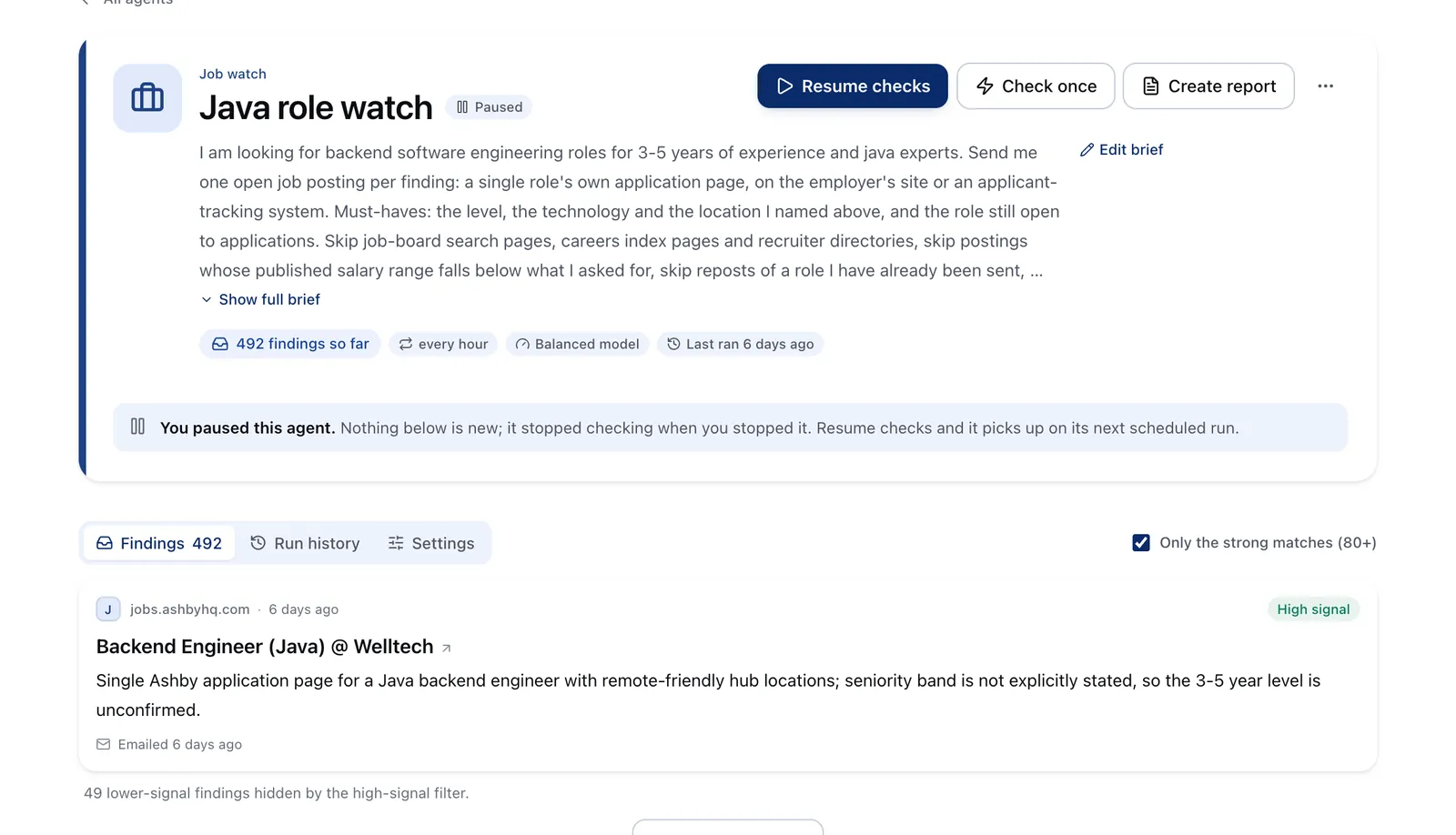
Run it on Parlel
Turn structured company and people data into a review queue.
PROSPECTING DIGEST
- matches: { company, fit_fields, source_url, observed_at }
- signal: { type, description, confidence }
- owner_candidates: [{ name, title, profile_url }]
- action: human_review -> accept | reject | watch
- metrics: { positive_reply, qualified_meeting, opt_out, next_action }
Use the company directory to investigate the account and the people directory to verify likely owners. Keep ambiguous accounts on watch rather than forcing a message.
Related reading: fresher jobs, monitor with agents, sales pipeline template.
Keep reading
Continue the workflow with three closely related guides: - sales follow up email template - outbound sales strategy - discovery call questions
Frequently asked questions
What is sales prospecting?
Sales prospecting is the process of identifying potential buyers and turning them into qualified opportunities. For founders, it usually means choosing accounts that fit your ICP, finding the right person, and reaching out with a message tied to a real signal rather than a generic pitch.
How do you do sales prospecting as a founder?
Start with a narrow ICP, one useful trigger, and a simple workflow for discovery, qualification, outreach, and follow-up. Keep your system lean by recording the source, date, owner, and next step for each account so you can learn what is worth repeating.
What are the best sales prospecting signals to use?
Useful signals are recent, relevant, and connected to a plausible problem your product helps solve. Examples include hiring patterns, leadership changes, product launches, or a first hire in a function, but you should treat each signal as evidence to explore, not proof of need.
How do you know if a prospect is qualified?
A prospect is qualified when the account fits your ICP, the signal is current, the likely buyer is clear, and the problem is plausible enough to justify contact. If the signal is stale, the owner is unclear, or you cannot explain why your outreach is relevant, it is usually better to reject or defer the account.
What should you track in a sales prospecting system?
Track the company, contact, source of the signal, date found, your working hypothesis, outreach channel, outcome, and next action. This makes prospecting measurable and helps you separate observations from guesses so your process improves over time.