Most people searching for free CRM software want a cloud tool they can open today, not a desktop download. The useful question is not which product has the longest feature list. It is whether the free plan has enough users, records, deal tracking, and export access for the way you sell. A free contact database is not automatically a free sales pipeline.
The facts below were checked against vendor pages on September 26, 2026. Limits and packaging change, so treat the table as a buying shortlist and confirm the final plan before importing data.
TL;DR
- HubSpot is a reasonable broad starting point if two users and 1,000 contacts are enough.
- Zoho CRM is worth considering for up to three users who want workflows and reports in a free edition.
- Attio fits a very small team that thinks in relationships and flexible records, but its free plan has usage limits.
- Streak is useful for Gmail-based contact work, but its free plan does not include CRM pipelines.
- A spreadsheet is sensible when you are defining stages and do not need reminders or permissions.
What “free CRM” means here
This comparison separates permanent free access, a time-limited trial, a free database with limited pipeline features, and an inexpensive entry plan. A tool is not called free here just because it offers a 14-day trial.
A simple comparison method
Before comparing logos, write down five requirements: users, active contacts, whether a shared deal pipeline is included, the one automation you cannot live without, and how you will export the data. Then check the vendor page for each requirement. This guide does not assign scores because a CRM with more features is not necessarily better for a team that will not maintain it.
| Tool | Free entry described by vendor pages | Useful fit | Caveat to verify |
|---|---|---|---|
| HubSpot CRM | Up to 2 users and 1,000 contacts, no expiration | General contact and deal tracking | Paid products, seats, and marketing contacts are separate |
| Zoho CRM | Free edition for up to 3 users | Budget teams needing basic workflows | Feature and regional limits vary |
| Attio | Free plan for very small teams, up to 3 seats | Relationship-led selling | Email, enrichment, and usage limits |
| Salesforce Free Suite | Free Suite for up to 2 users | Very small teams testing Salesforce | Login requirement and product limits |
| Streak | Free email tools inside Gmail | Contact notes and email workflows | No CRM pipelines on free plan |
| Bitrix24 | Free entry tier | CRM plus collaboration | More setup and product complexity |
| Freshsales | Free entry may vary by region | Sales communication experiments | Confirm current seat and feature limits |
| Agile CRM | Free entry may be available | Small sales and marketing tests | Contact and automation limits |
| Flowlu | Free entry tier | Service businesses combining work and CRM | Confirm current CRM feature scope |
| Google Sheets or Excel | No CRM subscription | Manual early-stage tracking | No native CRM reminders or permissions |
The best free CRM depends on the job
HubSpot: broad starting point, not unlimited free CRM
HubSpot's current free CRM materials describe access for up to two users and 1,000 contacts, with no expiration and no credit card required. It includes core contact management and deal pipelines. That is useful for a founder and one collaborator. It is not an unlimited free database, and marketing contacts, Sales Hub features, sequences, and advanced reporting have separate packaging.
Use it when: you want contacts, companies, deals, meetings, and a familiar ecosystem in one place. Do not use it when: you already know you need many users, advanced automation, or more than the free record limits. Read the HubSpot alternatives guide before your first paid renewal.
Zoho CRM: a practical free edition for three users
Zoho advertises a forever-free edition for up to three users with contact management, workflows, reports, import/export, and mobile apps. It is a stronger candidate than a trial if your team values included process features over a polished interface. Confirm the current edition matrix and local taxes on Zoho's pricing page.
Use it when: cost is the main constraint and someone will own setup. Do not use it when: every rep needs a minimal interface with little training.
Attio: flexible records for a tiny relationship-led team
Attio's free plan is aimed at very small workspaces, with up to three seats described in its current materials. It can suit founders managing relationships, companies, and custom views rather than a high-volume sales process. The free plan has limits around email, enrichment, and usage. A qualifying venture-backed startup may see a separate startup offer, but do not assume eligibility or treat the discount as ordinary pricing.
Use it when: the founder's network and account context matter more than a large contact database. Do not use it when: you need predictable bulk enrichment or mature sales operations on the free tier.
Streak: Gmail tools, not a free pipeline CRM
Streak's free plan includes email-focused features such as snippets, tracking, and limited mail merge. Its current pricing page says CRM pipelines, contacts, and records are included on paid plans, not the free plan. Streak is therefore a free Gmail workflow tool, not a free replacement for a conventional deal pipeline.
Use it when: your immediate need is organizing email work inside Gmail. Do not use it when: you need a shared pipeline without paying.
Salesforce Free Suite: worth checking for a two-person team
Salesforce currently promotes a Free Suite for up to two users. Check its conditions and feature boundaries, including any requirement to log in periodically. Use it when: you specifically want to learn Salesforce's model. Do not use it when: you want the least administrative setup possible.
The other entries: shortlist, then verify the workflow
Bitrix24 combines CRM with collaboration and can make sense when those jobs belong together, but its breadth creates more setup decisions. Freshsales, Agile CRM, and Flowlu can be worth checking for regional or small-team offers, yet their current free limits are not as uniformly documented as the entries above. Treat them as candidates for a ten-record test, not recommendations based on a headline.
Create a contact, associate it with a company, create a deal, assign an owner, add a next-step date, export the record, and remove it. If a product cannot complete those actions on the advertised free tier, it does not meet the free-pipeline job even if it stores contacts at no cost.
When a spreadsheet is the better free CRM
Use the spreadsheet CRM template when stages are still changing, one person owns the process, and a shared table is enough. Include company, contact, owner, stage, value, last contact, next step, next-step date, and notes. Add conditional formatting for overdue dates.
Move to CRM software when you need automatic reminders, multiple editors with permissions, email logging, deduplication, reliable activity history, or reports that combine several tables. There is no universal deal-count cutoff. The trigger is process complexity, not an invented number.
Use a spreadsheet deliberately: define one owner per row, a controlled stage list, a required next-step date, and a weekly overdue review. If a second person edits it, agree on who can change stages and how duplicates are resolved. The spreadsheet CRM template supplies a small starting schema.
How to choose in 30 minutes
- Write down the users and contacts you need for the next six months.
- Mark whether you need a deal pipeline on the free tier, not just contacts.
- Check export, activity history, integrations, and inactivity rules.
- Price the first paid tier that contains your next required feature.
- Import ten real records and test create, advance, follow up, and export.
Write the result as a decision: “We choose X because it supports Y for Z users; we will revisit when A happens.” Naming the upgrade trigger before the free plan becomes a surprise is more useful than a feature checklist.
Who should not use a free CRM
Do not use a free CRM as a workaround for a missing sales process. Avoid one if you need enterprise permissions, regulated retention, complex forecasting, or multi-channel automation from day one. Also avoid switching tools every few weeks because a free plan has one inconvenient limit. A clean spreadsheet with clear stage definitions can be safer than a half-configured CRM.
A better free-CRM evaluation
The most revealing test is not a tour of every menu. It is a small fixture that mirrors the work you will actually do. Prepare five records: a new account, a qualified opportunity, an opportunity with two contacts, a lost deal, and a customer that needs a follow-up. Give each record a source, owner, stage, note, and next-step date. Import those records into a trial or free workspace and ask a second person to repeat the core actions.
| Test | What a useful result looks like | What to record |
|---|---|---|
| Create and associate | Company, person, and deal stay connected | Duplicate behavior and required fields |
| Assign ownership | One person can see their open work | Permission and visibility rules |
| Schedule follow-up | The next action is visible without searching | Reminder, calendar, or activity limits |
| Close and recycle | Won and lost work leaves the active view | Lost reason and archive behavior |
| Export | The record can leave with usable fields | File format, associations, and dates |
This matters because free plans often make one part of the workflow attractive while constraining another. A contact limit may be acceptable if you can archive inactive records. A two-user limit may be fatal if a founder, seller, and delivery lead all need ownership. An automation limit may be irrelevant if a weekly review is sufficient. Decide by the bottleneck you can name, not by the feature count.
The upgrade-trigger worksheet
Before importing data, write the first event that would justify paying. Examples include adding a third active editor, needing a second pipeline, requiring automatic email capture, exceeding a contact allowance, or needing a report that combines companies and deals. Then write the workaround you will use until that event happens. This keeps a free CRM from becoming a surprise procurement project.
Illustrative example: a founder and a sales partner have 400 active contacts, one pipeline, and no need for sequences. A two-user free plan may be sufficient. If a customer-success teammate needs to own renewals, the trigger is not “we have too many contacts”; it is the third person needing reliable access and an ownership rule. A spreadsheet or paid plan may then be more honest than sharing a login.
Migration checklist for a first CRM
- Export the current contact list and preserve the original file.
- Normalize company domains and remove obvious duplicates.
- Map old labels to a short stage list before importing.
- Add an owner and next-step date to every active opportunity.
- Import a sample, inspect associations, then import the rest.
- Tell the team which system is authoritative and freeze the old tracker.
- Schedule a weekly review for overdue work and failed imports.
Do not migrate every historical email simply because the import tool permits it. Bring across records someone will act on, plus the context needed to understand them. Keep an archive only when the vendor terms and your retention obligations allow it. A smaller clean database usually teaches more than a large unexamined one.
Free does not mean low effort
License cost is only one part of the decision. Someone still defines stages, checks duplicates, maintains integrations, and reviews stale deals. If the free tool requires repeated manual work that nobody owns, its zero price is not making the process cheap. Conversely, a paid plan can be wasteful when the team has not yet agreed what a qualified opportunity means. The right starting point is the least expensive system that makes the next action unmistakable.
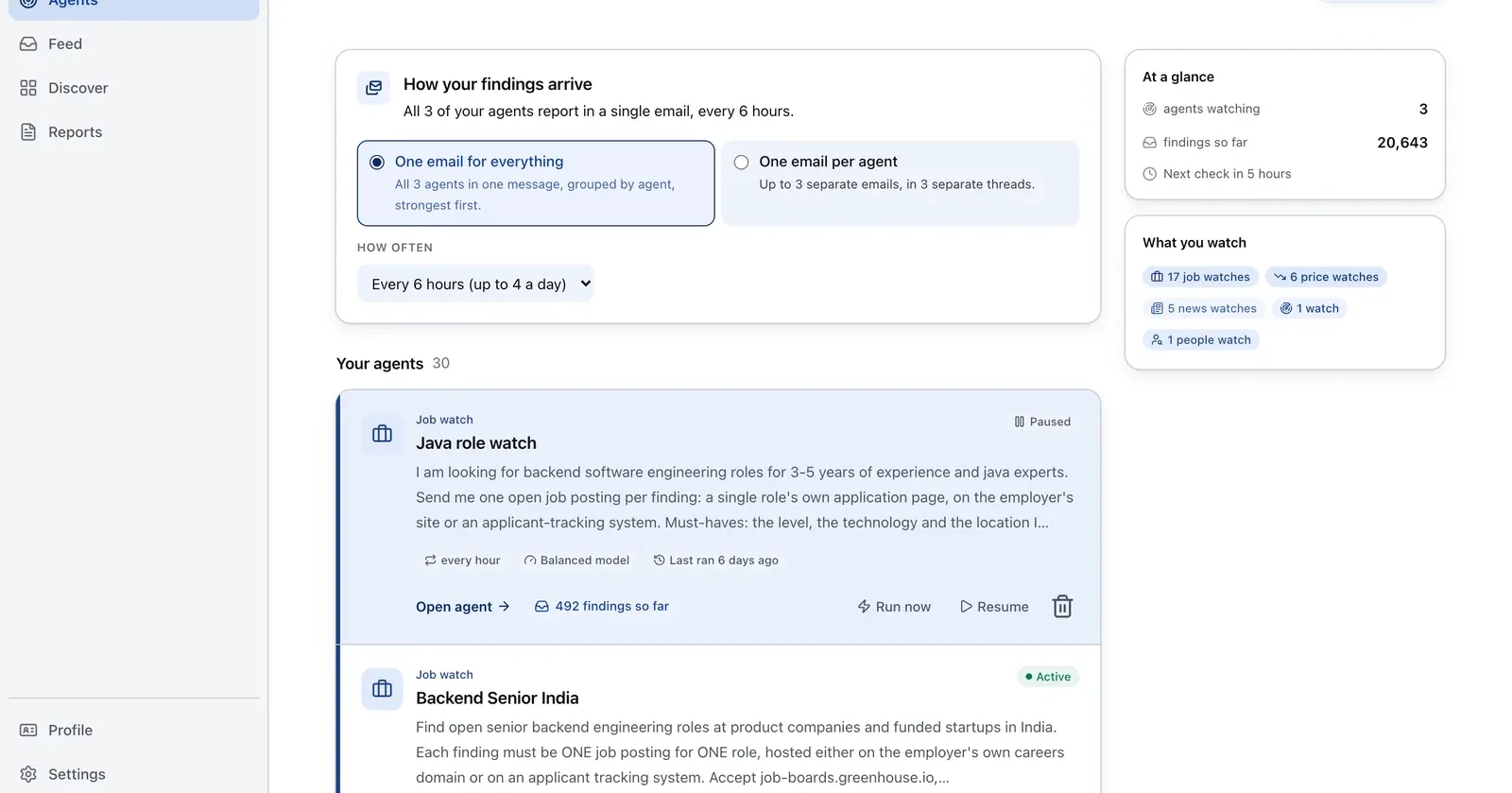
Run it on Parlel
Use Parlel to identify a small, relevant account list before filling a free CRM. The output is a CRM-ready digest, not a promise that every company is a qualified buyer.
{"agent":"free-crm-account-watch","schedule":"weekly","filters":{"hiring":true,"size":"11-200"},"digest":{"fields":["company","open_roles","pain_hypothesis","suggested_stage"],"deliver":"crm_import_csv"}}
Digest: company, open roles, a short hypothesis, and a suggested first stage. Start the watch in Parlel Explore.
Keep reading
Continue the workflow with three closely related guides: - best crm for startups - sales pipeline template - spreadsheet crm template
FAQs
Is HubSpot really free?
HubSpot describes its free CRM as non-expiring, but current materials specify up to two users and 1,000 contacts. Paid hubs and marketing-contact pricing are separate.
What is the best free CRM for a startup?
HubSpot is a broad starting point, Zoho suits a cost-sensitive three-user team, and Attio suits a very small relationship-led team. The right answer depends on limits and workflow.
Is Streak a free CRM?
Its free plan provides Gmail email tools, but the current pricing page says CRM pipelines are paid. Do not choose it for a free shared deal board.
When should I stop using a spreadsheet?
When reminders, permissions, shared ownership, deduplication, or reporting become recurring work. There is no universal record threshold.