The right HubSpot alternative depends on what you are replacing. A team that only needs a deal pipeline should not buy another all-in-one platform. A team leaving because of marketing automation should not choose a sales-only CRM. This shortlist separates free CRM, pipeline, relationship, outbound, service, and marketing jobs.
Start by writing the reason for the switch in one sentence: “We need cheaper seats,” “we need a simpler pipeline,” “we need marketing automation,” or “we need governance.” If the reason is only that the pipeline is empty, stay with the current tool and fix the operating routine first.
Facts and vendor pages were checked September 26, 2026. Prices and limits vary by region, billing term, product, and contact type, so no figure below is presented as a guaranteed quote.
TL;DR
- Hubspot Alternatives is a lean sales operations guide: use it to make one decision, not to collect generic advice.
- Start with the smallest useful version: a next action, an owner, and a system the team will actually maintain; add complexity only when the evidence requires it.
- Treat every claim as either an observation, an estimate, or a hypothesis; do not present a signal as proof.
- Before you publish or act, check the workflow under real records, not a feature list or a polished demo.
- The practical outcome is a dated next step, a clear owner, and a reason to stop or revisit the decision.
Is HubSpot still free?
Yes, with important limits. Current HubSpot pricing materials describe free foundational tools for up to two users, with no expiration and no credit card required. That does not mean unlimited users, unlimited contacts, or unlimited access to paid Sales, Marketing, Service, or Operations features. The free CRM remains sensible if its limits match your team.
Alternatives by job
| Alternative | Best fit | Main trade-off |
|---|---|---|
| Pipedrive | Sales-first pipeline | Paid from the start; thinner all-in-one marketing |
| Zoho CRM | Low-cost broad CRM | More setup and less focused UX |
| Attio | Relationship-led selling | Small free plan and usage limits |
| Close | Call-heavy outbound | Specialized, not a service platform |
| Freshsales | Bundled sales communication | Confirm current regional scope |
| Copper | Google Workspace teams | Paid product with narrower breadth |
| Salesforce | Complex processes and governance | Admin and implementation overhead |
| ActiveCampaign | Marketing automation | Not a like-for-like CRM |
| Spreadsheet or Notion | Early process discovery | Manual reminders and reporting |
The nine exits
1. Pipedrive: pipeline focus
Choose Pipedrive when the complaint is that reps do not maintain a clear deal board. Its stages and activities are the product. It has no permanent free tier and official product information describes a 14-day trial. Check regional pricing, add-ons, and annual billing on Pipedrive's pricing page. Do not use it if marketing journeys, support tickets, or custom objects are why you bought HubSpot.
2. Zoho CRM: lower-cost breadth
Zoho advertises a free edition for up to three users and paid editions with workflows, reports, mobile access, and broader customization. It fits when license cost matters more than minimal setup. Do not use it if rep training time is your main constraint.
3. Attio: relationship-first data
Attio's free plan is designed for very small teams, with current materials describing up to three seats and limits around email and enrichment. It fits founders tracking companies, people, introductions, and context. Do not use it as a bulk outbound database or assume its startup discount applies without checking eligibility.
4. Close: outbound execution
Close is a focused option for teams that call, email, and text from one sales workflow. Compare calling allowances, automation, recording, and export. Do not use it if the primary job is marketing automation, support, or project delivery.
5. Freshsales: bundled communication
Freshsales is worth a look when phone, email, chat, and contact timelines matter more than a large ecosystem. Free availability and limits can vary, so verify the live plan page. Do not use it without testing the exact channels your team needs.
6. Copper: Google Workspace context
Copper is designed for teams that want CRM records close to Gmail, Calendar, and Drive. It is a paid CRM rather than a general free HubSpot replacement. Do not use it if deep marketing or a standalone pipeline matters more than Workspace integration.
7. Salesforce: complexity-led migration
Salesforce can replace HubSpot when you need custom objects, permissions, complex integrations, or formal governance. That does not make it the default next step. Do not use it until an owner documents the requirements and ongoing admin responsibility.
8. ActiveCampaign: replace marketing, not necessarily CRM
If the actual need is email automation and segmentation, compare a marketing automation product directly. ActiveCampaign may fit that job better than another CRM suite. Do not use it as a direct replacement if sales reps need a visual opportunity pipeline and activity ownership.
9. Spreadsheet or Notion: pause before migrating
For a small active pipeline, the spreadsheet CRM template or Notion CRM template can be the honest interim system. Clean stages and exportable fields matter more than migrating every old activity. Do not use them when reminders, permissions, multi-user ownership, or reporting already fail.
How to choose among the exits
- If the work is mostly marketing journeys, compare marketing automation products, not only CRMs.
- If it is mostly calls, email, and dated deal actions, test Pipedrive or Close.
- If relationship context matters more than a conventional funnel, test Attio.
- If broad functionality at lower license cost matters and someone can configure it, test Zoho.
- If custom objects, permissions, or governance are the requirement, document them before evaluating Salesforce.
- If none is urgent, test a spreadsheet or Notion before paying for migration.
Migration checklist
Export contacts, companies, deals, activities, custom fields, associations, and important attachments. HubSpot supports exports for several record types; export links can expire, so download and inspect files promptly. Map old fields to the new schema. Archive stale closed-lost records instead of importing everything. Rebuild automations one by one. Run the old and new systems in parallel long enough to test ownership, next steps, and exports. Keep the old account as an archive only if the plan permits it.
Make a field map before importing: old field, new field, transformation, owner, and validation rule. Preserve a stable external ID so a failed import can be reconciled without creating duplicates. Export a small sample first, import it into a test workspace, and compare associations and dates. Migration is complete only when a user can find a record, perform the next action, and export it again.
Compare migration risk, not only the license
| Migration question | Lower-risk answer | Warning sign |
|---|---|---|
| Data model | Contacts, companies, and a simple deal table | Custom objects and many-to-many associations |
| Activity history | Only recent, actionable activities | Years of calls, emails, and attachments |
| Automation | A few documented workflows | Routing, nurture, and timed sequences |
| Ownership | One team with clear owners | Several teams and permission rules |
| Reporting | Stage and source summaries | Cross-object revenue attribution |
If the warning column describes your account, budget for mapping, testing, and a temporary dual-run. If the low-risk column describes it, a focused import may be enough, but still test a sample. The absence of a migration fee in a quote does not mean the work is free; someone still has to reconcile fields and verify the result.
Keep a read-only archive only when your contract and retention policy permit it. Document the cutoff date, the new system of record, and who can answer questions about an old record. Otherwise teams may continue splitting updates between two systems.
Run the comparison with the same five records in every finalist: one new lead, one active opportunity, one lost deal, one company with two contacts, and one record with a required follow-up. That small fixture exposes whether the replacement handles associations, ownership, stage history, and exports. It also keeps the decision grounded in the work your team actually performs rather than in a vendor’s broad feature inventory.
Who should not switch yet
Stay on HubSpot if the free plan still fits and the problem is an empty pipeline rather than software. Do not migrate because another table says “cheaper” without modeling seats, add-ons, contacts, and implementation. Do not migrate historical clutter you will not work.
Choose the replacement by the thing you are leaving
| The actual complaint | Candidate direction | Migration question |
|---|---|---|
| Too many sales features for a small team | Pipedrive or a spreadsheet | Can the team operate one clean pipeline? |
| Free access ends at the user limit | Zoho or a paid focused CRM | What happens to ownership and permissions? |
| Founder relationships are getting lost | Attio or a lightweight relationship system | Which context must remain linked to people and companies? |
| Reps need calls, email, and text beside deals | Close or another outbound tool | Are calling, recording, and export included in the quoted plan? |
| Marketing journeys are the real need | ActiveCampaign or another marketing tool | What sales records still need a system of record? |
| Support is the missing function | A service platform | Are tickets, SLAs, and customer history required? |
| Governance and custom entities are mandatory | Salesforce | Who owns implementation and administration? |
The most common migration mistake is replacing a category with the same category without naming the job. If the team complains that HubSpot is complicated but still needs marketing automation, service tickets, and sales sequences, a narrower sales CRM will create more tools, not less complexity. If the team only needs a small pipeline, preserving every HubSpot capability can be its own form of overbuying.
A field-mapping worksheet
Create this before choosing an import format:
| Old field or object | New field or object | Transformation | Owner | Test |
|---|---|---|---|---|
| Lifecycle stage | Lead status | Map labels and document exceptions | RevOps | Five sample records |
| Company domain | Account domain | Lowercase and normalize | Data owner | Duplicate check |
| Deal stage | Pipeline stage | Map only active stages | Sales owner | Board view |
| Next activity | Next action and date | Split text from date | Deal owner | Overdue view |
| Custom property | New field or archive | Keep only if used | Admin | Required-field test |
Do not map a field because it exists. Map it because somebody will use it to decide, act, report, or comply. For associations, test one company with two contacts, one contact with two deals, and one deal with a missing company. Those edge cases reveal whether the replacement's data model is actually compatible.
Parallel-run checklist
- Export contacts, companies, deals, activities, attachments, associations, and custom fields permitted by your account.
- Download exports promptly because export links can expire.
- Preserve the original files and record the export date and account owner.
- Import a small fixture into a test workspace before the live import.
- Rebuild one automation at a time and inspect its trigger and recipient.
- Choose a cutover date and make one system authoritative.
- Ask users to complete a record, follow-up, stage change, and export in the new tool.
Illustrative example: a team moving only open deals may leave old activity history in an archive. That can be sensible if sellers do not need it daily and the archive is permitted. A team that relies on nurture timing or support context needs a more deliberate plan. The correct migration is the smallest one that preserves decisions the business still makes.
The hubspot alternatives operating standard
This guide is written for a reader who needs to use hubspot alternatives in a real workflow, not merely understand the definition. The dependable version starts with the decision that must be made, names the evidence available today, and keeps the next step small enough to complete. That is the editorial standard used throughout this guide and across the Parlel library: practical guidance should help a founder, operator, candidate, or freelancer act without hiding uncertainty behind confident language.
Decide what success means before you start
Write the result in one sentence: “After this exercise, I will know whether , and the next action will be .” For hubspot alternatives, that sentence prevents the most common failure mode — doing more research after the useful question has already been answered. If the work concerns a person, company, role, client, or vendor, record the source and date as you go. If it concerns a template or message, define the recipient, context, and desired response before polishing the wording.
Use a small fixture rather than an abstract example. Pick three to five real records, situations, or drafts and run the method end to end. Keep one case that should succeed, one ambiguous case, and one case that should be rejected. That mix exposes whether the process can distinguish a useful signal from a convenient story. It also gives you material for a later review without pretending that a tiny sample is a benchmark.
Make the work explainable to another person
A high-quality result should survive a handoff. Another person should be able to see what was known at the time, which assumptions were made, what action was taken, and what would change the decision. For this topic, preserve the original input alongside the conclusion. Keep a short “why now” note, the owner, the due date, and the stop condition. This makes hubspot alternatives useful in an agency-style operating system: the work is repeatable without becoming mechanical, and a reviewer can improve it without rewriting the whole process.
Quality-control pass before you ship
- Intent: Does the page answer the query implied by its title in the first screen?
- Evidence: Are current facts linked to a source, date, or clearly labeled assumption?
- Specificity: Could a reader use the checklist, script, table, or example immediately?
- Boundaries: Does the guide say when the method is a poor fit or should stop?
- Next action: Is there one useful action rather than a pile of competing calls to action?
Those checks matter more than adding another paragraph of general advice. They also protect search quality: the page earns attention by resolving the reader's problem, not by repeating hubspot alternatives unnaturally. If the evidence is thin, say so and explain how to improve it. If the answer changes by country, role, plan, or company size, make that branch visible instead of burying it in a footnote.
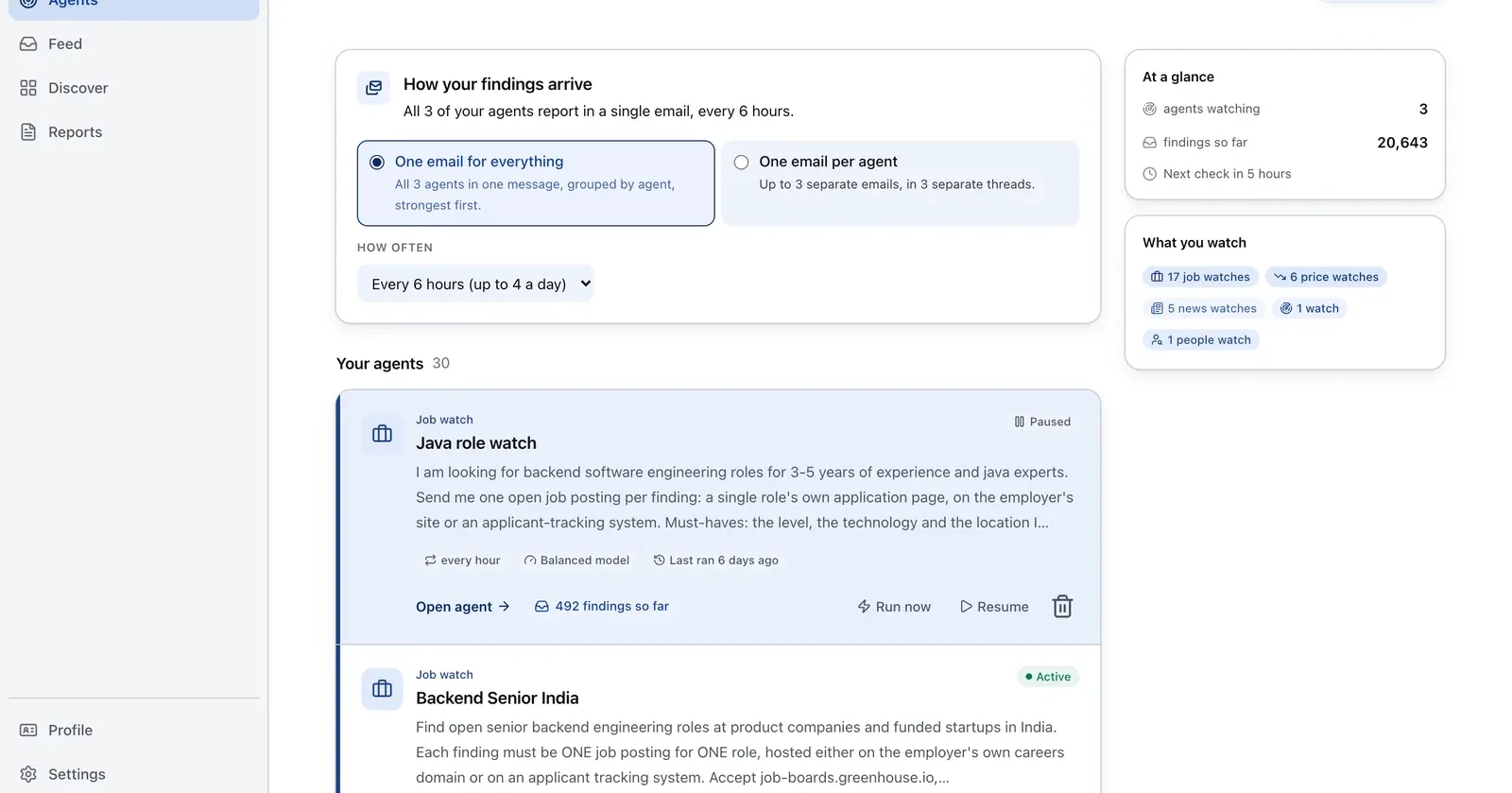
Run it on Parlel
Use a small live account set to test whether the replacement CRM is solving a sourcing problem or a workflow problem.
{"agent":"hubspot-exit-test","schedule":"weekly","filters":{"hiring":true,"size":"11-200"},"digest":{"fields":["company","open_roles","pain_hypothesis","suggested_stage"],"deliver":"crm_trial_csv"}}
Digest: company, current hiring signal, pain hypothesis, and suggested stage. Create the watch in Parlel Explore.
Keep reading
Continue the workflow with three closely related guides: - free crm - best crm for startups - pipedrive review
FAQs
What is the best free HubSpot alternative?
Zoho advertises a free edition for up to three users. Attio is a small-team relationship option. HubSpot itself remains valid for up to two users and 1,000 contacts.
Is Pipedrive cheaper than HubSpot?
It depends on the HubSpot tier, seats, billing term, and add-ons. Pipedrive has no permanent free tier, so compare the workflow you need.
How hard is HubSpot migration?
It depends on associations, activities, automation, permissions, and historical data. A simple contact-and-deal move can be focused; a complex rebuild needs planning. Avoid unsupported “weekend” guarantees.