A spreadsheet CRM is useful when you need a copy-ready place for contacts, opportunities, next actions, and notes without committing to a CRM. The template below works in Google Sheets or Excel. It is deliberately small: a spreadsheet should make the process visible, not become a homemade enterprise system.
To use it, create a blank workbook, add the headers in the table, and paste the example row only as a test. Remove the example before importing live data. This guide is a schema you can copy into either product, not a claim that a particular third-party download is maintained or secure.
TL;DR
- Spreadsheet Crm Template is a lean sales operations guide: use it to make one decision, not to collect generic advice.
- Start with the smallest useful version: a next action, an owner, and a system the team will actually maintain; add complexity only when the evidence requires it.
- Treat every claim as either an observation, an estimate, or a hypothesis; do not present a signal as proof.
- Before you publish or act, check the workflow under real records, not a feature list or a polished demo.
- The practical outcome is a dated next step, a clear owner, and a reason to stop or revisit the decision.
Copy-ready columns
| Column | Header | Format | Rule |
|---|---|---|---|
| A | Company | Text | One account per row |
| B | Contact | Text | Name and role |
| C | Verify before sending | ||
| D | Owner | Text | One accountable person |
| E | Stage | Dropdown | New, Qualified, Meeting, Proposal, Negotiation, Won, Lost |
| F | Value | Currency | Estimate, not booked revenue |
| G | Expected close | Date | Update when evidence changes |
| H | Next step | Text | Verb plus object |
| I | Next step date | Date | Required for open deals |
| J | Last contact | Date | Latest meaningful interaction |
| K | Days stale | Formula | Days since last contact |
| L | Notes | Text | Latest context and lost reason |
Example row: Acme | Jane Smith, VP Growth | jane@example.com | Priya | Qualified | 5000 | 2026-11-15 | Send discovery summary | 2026-10-02 | 2026-09-29 | 3 | Hiring two growth roles; confirm budget.
Google Sheets setup
- Create tabs called Deals, Sources, and Archive.
- Paste the headers into row 1 and freeze that row.
- Add dropdowns for Stage and Owner.
- In K2 use
=IF(ISBLANK(J2),"",TODAY()-J2)and fill down. - Format I as overdue when the date is before today and Stage is not Won or Lost.
- Add a filter and protect the header and formula column.
- Use
=SUMIF(Deals!E:E,"Proposal",Deals!F:F)for a simple stage total.
For a small summary area, add =COUNTIF(Deals!E:E,"Open") only if you have an explicit Status column. With the schema above, count open work by excluding Won and Lost, or add a Status dropdown with Open, Won, Lost. Do not mix two definitions of open in the same workbook. If the file is shared, protect the formula column and document who can edit stage values.
Excel setup
Convert the Deals range to an Excel Table so formulas and filters extend with new rows. Use Data Validation for Stage. In K2 use =IF([@[Last contact]]="","",TODAY()-[@[Last contact]]). Apply conditional formatting to Next step date and Days stale. A pivot table on Sources can summarize opportunities, meetings, and wins by source. Avoid macros until you have a clear reason to maintain them.
The ordinary-range formulas above and the Excel Table formula solve the same problem in different environments. Choose one style per workbook. Test the formula after adding a row, changing a date, and marking a deal Won; a template is not useful if the overdue color survives after the deal closes.
Optional weighted value
If you need a rough planning view, add a Probability column and a Weighted value formula such as =F2*M2. The probabilities are assumptions, not a forecast. Start with blank or team-defined probabilities and calibrate them against your own historical stage conversion. Do not present generic percentages as universal benchmarks.
Monday operating routine
Sort open Deals by Next step date. For every overdue row, advance it, assign a concrete new action and date, or mark it Lost with a reason. On Friday, check that each open row has an owner and future next step. Monthly, archive closed rows and review conversion by source. The routine is the control layer; formulas only expose the state.
When to move to CRM software
Graduate when more than one editor needs permissions, reminders cannot be missed, duplicate records appear, email history must be logged, reporting needs joins, or the file becomes difficult to audit. There is no universal “30 deals” rule. A small team with complex compliance may need software immediately; a solo consultant may use a sheet longer.
Use this decision table:
| Signal | Keep the sheet when | Consider CRM software when |
|---|---|---|
| Editors | One accountable editor | Several editors need permissions |
| Follow-up | A weekly review is enough | Reminders or automatic logging are required |
| Data | Rows are simple and deduplicated | Multiple objects and relationships matter |
| Reporting | Filters and a pivot answer the question | Teams need shared dashboards and history |
| Risk | The records are suitable for the workbook | Retention, audit, or sensitive-data controls matter |
Data hygiene rules
Keep one row per opportunity, not one row per email. Normalize company names and domains before importing. Use a stable internal ID if the sheet will be joined to another table. Never use a row number as an ID because sorting changes it.
At the weekly review, check for blank owners, open rows without a next-step date, dates in the past, duplicate domains, and values in the wrong currency. A filter can reveal these problems faster than a dashboard. Archive closed records only after recording the outcome and lost reason. Keep the live sheet small enough that a human can understand it.
If the workbook contains client or prospect data, restrict sharing to the people who need it, use the platform’s access controls, and follow retention requirements. A free template does not make the data low-risk.
Who should not use this template
Do not use it for sensitive regulated records without reviewing security and retention requirements. Do not use it for a team that will not perform a weekly review. Do not add dozens of columns to compensate for missing process. If every new request requires a new formula, compare the free CRM tools instead.
Make the workbook hard to misuse
The strongest spreadsheet CRM is opinionated about a few values and flexible about the rest. Protect the header and formula columns. Use data validation for Stage and Owner. Keep a separate Sources tab for controlled values rather than asking each editor to type them. Add a short README tab with the definition of each stage, the weekly review owner, and the rule for closing a stale opportunity.
Do not put multiple opportunities in one cell. If one account has two distinct buying processes, give them two deal rows and use the same Company value. If one opportunity has several contacts, either use a primary contact field or maintain a separate Contacts tab with a stable company key. A row should answer “what is this opportunity and what happens next?” without requiring a scavenger hunt.
A practical workbook layout
| Tab | Purpose | Editing rule |
|---|---|---|
| Deals | One row per active opportunity | Owners update after buyer events |
| Contacts | Optional people reference | Normalize email and company domain |
| Sources | Dropdown values and definitions | Admin edits only |
| Dashboard | Counts and totals from Deals | Formula cells protected |
| Archive | Closed or inactive rows | Move during the weekly review |
| README | Operating rules and change log | Keep the instructions current |
The extra tabs are optional. A solo consultant may need only Deals and README. Add Contacts when repeated names or multiple stakeholders make the main sheet confusing. Add a dashboard only when a filter or pivot no longer answers the same question.
Illustrative pipeline example
Imagine three rows: Acme is Qualified with a dated discovery follow-up, Northstar is Proposal with a reviewed scope, and Cedar is Lost with “timing” as the reason. The dashboard should count only Acme and Northstar as open, show their owners, and exclude Cedar from future follow-up. If a formula includes all rows, the workbook is reporting a calculation rather than the pipeline the team can act on. Label whether totals are open value, closed value, or an assumption-weighted planning view.
Formula and date checks
After setting up formulas, test four changes: blank Last contact, a date of today, a future date, and a row marked Won. Days stale should remain blank when there is no last-contact date, show the expected elapsed time for an active row, and stop driving an overdue warning after the deal closes. Add a small test row, change it, then delete it only after the behavior is understood.
Do not sort only one column. Apply filters to the complete range or use an Excel Table. Keep dates as dates, values as numbers, and currency assumptions visible. If the workbook contains multiple currencies, add a Currency column instead of silently combining amounts. A neat total with mixed currencies is worse than no total.
Sharing and migration checklist
Before sharing, remove sample records, inspect link permissions, and decide whether viewers can download data. Export a backup with a timestamp. Before migrating to CRM software, map every column to a destination field and mark fields that will be archived. Import a small sample, validate owners and dates, then import active work. Keep the original workbook read-only during the parallel run and announce the cutover date.
Who benefits from a spreadsheet, and who does not
A spreadsheet is a good fit when one person or a small group can review every open row, the data model is flat, and the weekly routine is more important than automation. It is a poor fit when ownership is contested, several teams need different views, or nobody can explain which formula is authoritative. If people are copying the file to create private versions, the system has already lost its shared-record property.
The spreadsheet crm template operating standard
This guide is written for a reader who needs to use spreadsheet crm template in a real workflow, not merely understand the definition. The dependable version starts with the decision that must be made, names the evidence available today, and keeps the next step small enough to complete. That is the editorial standard used throughout this guide and across the Parlel library: practical guidance should help a founder, operator, candidate, or freelancer act without hiding uncertainty behind confident language.
Decide what success means before you start
Write the result in one sentence: “After this exercise, I will know whether , and the next action will be .” For spreadsheet crm template, that sentence prevents the most common failure mode — doing more research after the useful question has already been answered. If the work concerns a person, company, role, client, or vendor, record the source and date as you go. If it concerns a template or message, define the recipient, context, and desired response before polishing the wording.
Use a small fixture rather than an abstract example. Pick three to five real records, situations, or drafts and run the method end to end. Keep one case that should succeed, one ambiguous case, and one case that should be rejected. That mix exposes whether the process can distinguish a useful signal from a convenient story. It also gives you material for a later review without pretending that a tiny sample is a benchmark.
Make the work explainable to another person
A high-quality result should survive a handoff. Another person should be able to see what was known at the time, which assumptions were made, what action was taken, and what would change the decision. For this topic, preserve the original input alongside the conclusion. Keep a short “why now” note, the owner, the due date, and the stop condition. This makes spreadsheet crm template useful in an agency-style operating system: the work is repeatable without becoming mechanical, and a reviewer can improve it without rewriting the whole process.
Quality-control pass before you ship
- Intent: Does the page answer the query implied by its title in the first screen?
- Evidence: Are current facts linked to a source, date, or clearly labeled assumption?
- Specificity: Could a reader use the checklist, script, table, or example immediately?
- Boundaries: Does the guide say when the method is a poor fit or should stop?
- Next action: Is there one useful action rather than a pile of competing calls to action?
Those checks matter more than adding another paragraph of general advice. They also protect search quality: the page earns attention by resolving the reader's problem, not by repeating spreadsheet crm template unnaturally. If the evidence is thin, say so and explain how to improve it. If the answer changes by country, role, plan, or company size, make that branch visible instead of burying it in a footnote.
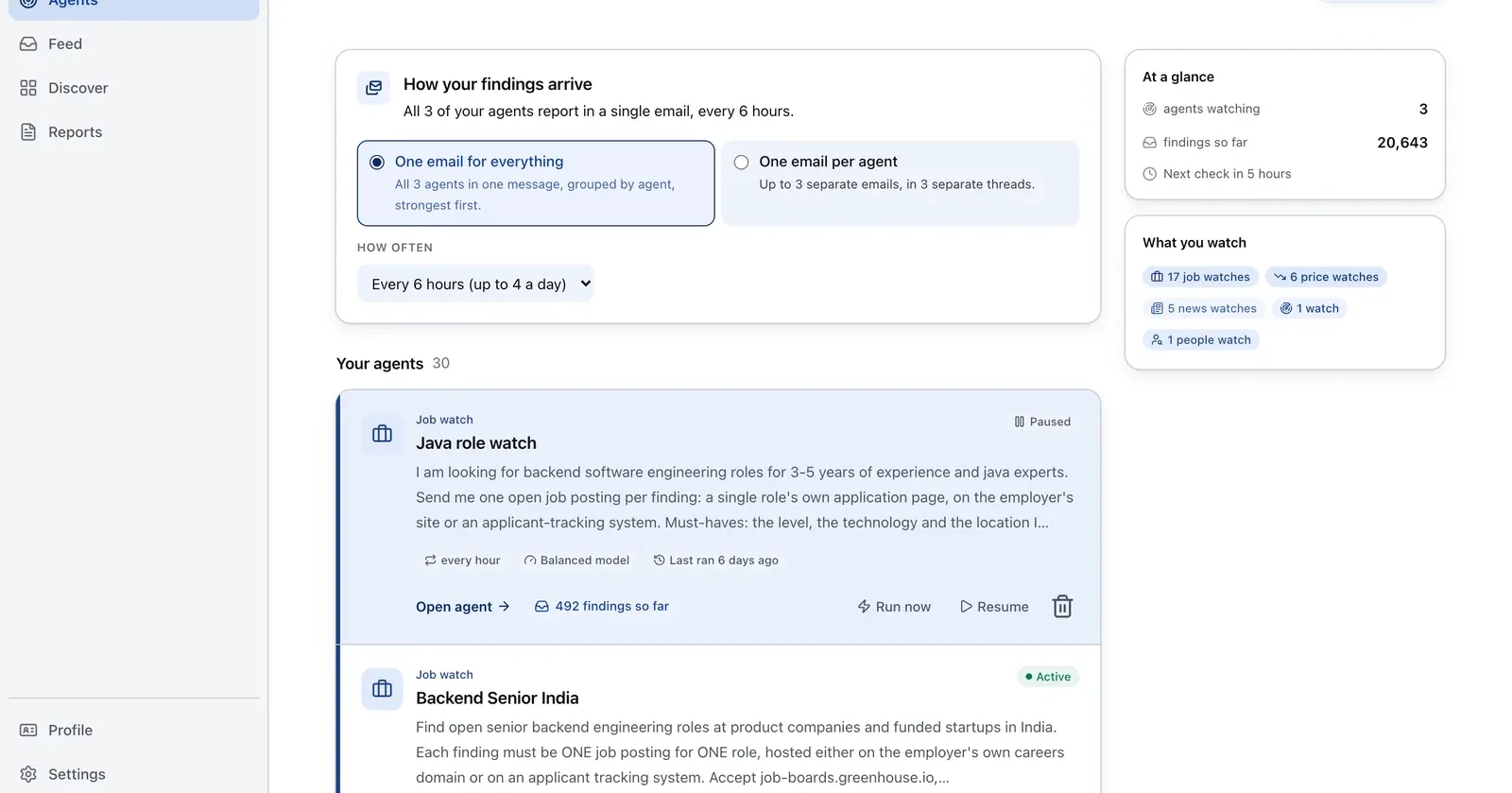
Run it on Parlel
Use hiring signals to add rows with context rather than importing an unqualified list.
{"agent":"sheet-crm-feeder","schedule":"weekly","filters":{"hiring":true,"size":"11-200"},"digest":{"fields":["company","contact_hint","open_roles","pain_hypothesis"],"deliver":"csv_12col_template"}}
Digest: company, contact hint, open roles, and a hypothesis to paste into Notes. Build the source list in Parlel Explore.
Keep reading
Continue the workflow with three closely related guides: - free crm - notion crm template - sales pipeline template
FAQs
What columns should a spreadsheet CRM have?
Company, contact, owner, stage, value, expected close, next step, next-step date, last contact, staleness, and notes are a practical core.
Are weighted pipeline formulas reliable?
They are useful planning assumptions only. Calibrate probabilities with your own outcomes and label them clearly.
Google Sheets or Excel?
Sheets is convenient for shared editing. Excel is useful for offline work, tables, and analysis. Both can run this schema.